Automated photo editing explained: transform interiors easily
Automated photo editing explained: transform interiors easily

TL;DR:
- AI-driven photo editing enhances interior images in seconds, rivaling professional results.
- Automated tools offer speed, consistency, and affordability for homeowners and DIY renovators.
- Human judgment remains vital for creative, ethical, and personalized adjustments.
Most homeowners assume that making their apartment photos look professionally polished takes hours of work, expensive software, or a hired editor. That assumption is outdated. AI-driven photo editing tools can now enhance interior images in under 30 seconds, with results that rival what used to take a skilled editor an entire afternoon. Whether you’re listing a property, planning a renovation, or just want your living room to look its best online, automated photo editing is a game-changer you don’t need a design degree to use. This guide breaks down exactly how it works, what it can and can’t do, and how to get the most out of it.
Table of Contents
- The basics: What is automated photo editing?
- How AI powers modern automated editing
- Automated vs. manual: Speed, consistency, and creative limits
- How homeowners and DIYers use automated editing tools
- What most guides miss: Why human vision still matters
- Ready to elevate your interior photos with AI?
- Frequently asked questions
Key Takeaways
| Point | Details |
|---|---|
| Automated editing explained | AI-driven tools now make it easy for anyone to enhance home interior photos quickly and affordably. |
| AI’s strengths and limits | AI offers unmatched speed and repeatability, but can’t fully replicate human creativity or ethical judgment. |
| Practical DIY application | Homeowners can transform listing and renovation photos in seconds using simple, automated platforms. |
| Human touch remains key | Blending automated editing with personal taste results in the most genuine, appealing interiors. |
The basics: What is automated photo editing?
Automated photo editing means using AI and software to apply enhancements or transformations to images with minimal manual effort. Instead of adjusting sliders, masking objects, or tweaking color curves by hand, the software handles those decisions for you. You describe what you want, or simply click a button, and the tool does the rest.
For home and interior photography specifically, automated editing covers a wide range of tasks:
- Color correction: Balancing warm and cool tones so a room looks natural and inviting
- Lighting adjustments: Brightening dark corners or reducing harsh shadows from windows
- Object removal: Clearing clutter, cords, or distracting items from a scene
- Style changes: Swapping furniture finishes, wall colors, or decor styles virtually
- Background enhancement: Making floors look cleaner or skies outside windows more appealing
The biggest advantage for homeowners and DIY renovators is accessibility. You don’t need to understand Photoshop layers or color theory. User-friendly editing tools built for interiors are designed so that anyone can upload a photo and get a polished result within seconds.
Under the hood, these tools rely on advanced machine learning. As PhotoAgent research explains, automated photo editing uses AI models and reinforcement learning for efficient, high-quality results. Reinforcement learning, in simple terms, means the AI improves its edits by learning from feedback over millions of examples, getting better at predicting what looks good without being told explicitly each time.
“The best automated tools don’t just apply filters. They understand the relationship between light, space, and color in a way that mimics how a trained eye sees a room.”
For anyone curious about how speed factors into this, rapid AI photo editing has become a core feature of modern platforms, cutting down what used to be a multi-step manual process into a near-instant transformation.
How AI powers modern automated editing
With a foundational understanding in place, the next logical question is: what technologies actually make automated editing possible?
At the core, AI models are trained on massive datasets of interior photos. They learn to recognize what makes a space look bright and airy versus dark and cramped, what a modern kitchen looks like versus a traditional one, and how lighting changes the mood of a room. When you upload a photo, the AI draws on all of that learned knowledge to make smart editing decisions.
Reinforcement learning plays a key role in reducing trial and error. Rather than applying a generic filter and hoping for the best, the AI runs through multiple possible edits and selects the one most likely to produce a high-quality result. Core methodologies include generative AI, personal AI profiles, reinforcement learning, and agentic perceive-plan-execute-evaluate loops, which means the system literally plans its approach, executes the edit, and then evaluates the outcome before finalizing.
Agentic systems are worth understanding because they change how editing feels. Instead of a one-shot filter, the AI perceives the image, plans what needs to change, executes those changes, and evaluates the result, repeating the loop until the output meets quality standards. This is why modern tools produce results that feel considered rather than mechanical.
| Editing method | Speed | Consistency | Customization |
|---|---|---|---|
| Manual editing | Slow (hours) | Variable | High |
| Basic filter apps | Fast (seconds) | Low | Low |
| AI automated tools | Very fast (seconds) | High | Medium-High |
A practical example: imagine you have 20 kitchen photos from a renovation project. Editing each one manually for brightness, color balance, and clutter removal could take three to four hours. With an AI tool, the same batch is done in seconds, with consistent results across every image.

Pro Tip: If you want the AI to match a specific style, such as Scandinavian minimalism or warm farmhouse, look for platforms that offer quality AI enhancements with style-transfer features. Feeding the tool a reference image dramatically improves how well it matches your vision.
For anyone working on property listings, professional editing for real estate is no longer reserved for agents with big budgets. AI has democratized access to that level of quality.
Automated vs. manual: Speed, consistency, and creative limits
Understanding what AI does well highlights another frequent question: how does it really stack up to traditional, manual editing?
The honest answer is that both have a place, and knowing which to use depends on your goal.
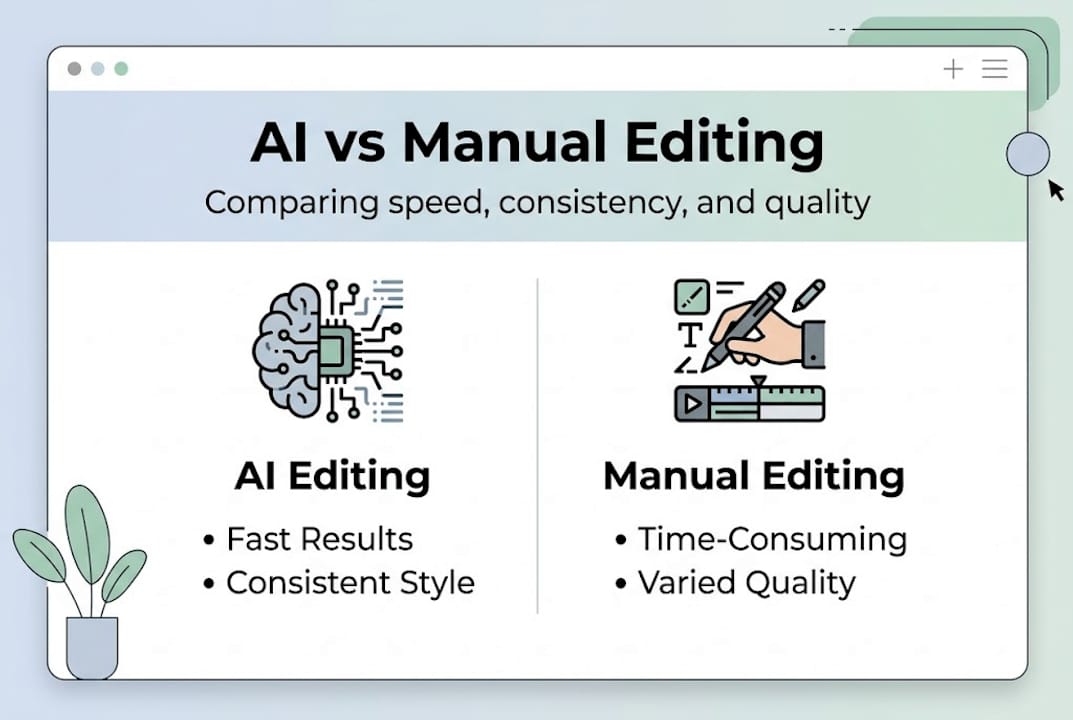
Where automated editing wins:
- Speed: Dozens of images processed in the time it takes to manually edit one
- Consistency: Every photo in a batch gets the same treatment, which matters for listing galleries
- Accessibility: No technical skills required
- Cost: Far cheaper than hiring a professional editor for routine work
Where manual editing still leads:
- Creative vision: A human editor can make bold, unexpected choices that feel fresh
- Nuanced judgment: Knowing when not to remove something because it adds character
- Complex requests: Edits that require understanding the story behind an image
RL-based AI delivers higher image quality using fewer editing steps, scoring 38.92dB PSNR versus 18.69dB for older methods, but it can’t match human creative intuition. That gap matters when you’re trying to create a truly distinctive look rather than a clean, presentable one.
One area where homeowners need to be careful is ethical use. AI can remove clutter from a photo in seconds, but it can also remove things that genuinely exist in the space, like a small crack in the wall or a dated fixture. For real estate, AI offers speed and consistency but can’t replace creative decision-making or handle ambiguous requests, and misrepresenting a property through heavy editing carries real legal and ethical risks.
Pro Tip: Always compare the AI-edited version side by side with the original before publishing. If the edit makes the space look significantly different from reality, dial it back. Transparency builds buyer trust far more than a perfect-looking photo.
For a deeper look at where AI tools genuinely speed up your workflow, the benefits of fast photo editing are well documented for both real estate and design projects. And for situations where automation hits its limits, understanding when AI falls short helps you know when to bring in a human touch.
How homeowners and DIYers use automated editing tools
With the big picture covered, let’s shift to practical advice. How can you actually use automated photo editing day to day?
Here’s a simple process that works for most home and apartment projects:
- Select your best photos. Start with images that are already reasonably well-lit and in focus. AI tools work best when they have quality input to build on.
- Upload to your chosen platform. Most tools accept standard JPEG or PNG files. Some, like VibeMyFlat, let you describe changes in plain language.
- Choose your edit type. Decide whether you want a full style refresh, a lighting fix, clutter removal, or a color change.
- Preview and adjust. Review the AI’s output and use any available sliders or prompts to fine-tune the result.
- Download and use. Save your edited images for listings, social media, renovation planning, or design presentations.
The most popular features among DIY renovators are style transfer (seeing how a room looks with different finishes), decluttering (removing items that make a space feel busy), and lighting correction (making rooms feel brighter and more welcoming).
AI-based tools make interior photos more appealing and help with visualization for renovations or staging, which means you can use edited photos not just for selling but for planning your next project.
Staged and edited home photos can sell a property up to 32% faster than listings with unedited images. That’s a significant advantage for anyone preparing to sell.
For a focused guide on using editing for property sales, editing for home staging covers the specific techniques that make the biggest difference to buyers.
Pro Tip: For best results, always start with the clearest, most well-lit photos in your collection. Even the most advanced AI tool will struggle to fix a blurry or poorly exposed image. Good source material is the single biggest factor in a great final result.
What most guides miss: Why human vision still matters
AI tools have genuinely changed what’s possible for homeowners and renovators. The speed, the accessibility, the consistency—it’s all real. But most guides stop there, and that’s where they do readers a disservice.
The truth is that automated editing is a starting point, not a finish line. The most compelling interior photos still reflect a person’s specific taste, lifestyle, and story. An AI can make a room look bright and clean, but it can’t decide that the worn leather chair in the corner is actually the most interesting thing in the photo and should be the focal point.
AI lacks creative intuition and can miss context, and the ethical risks of misrepresentation are real, especially in real estate. The homeowners who get the best results are the ones who use AI to handle the technical baseline and then apply their own judgment to the final output.
The next generation of tools will be smarter, faster, and more context-aware. But the homeowner’s eye, their sense of what makes a space feel like home, will remain the ingredient that no algorithm can replicate. Pair the two thoughtfully, and you get results that are both polished and authentic. For a broader look at how to do this well, seamless editing best practices offer a solid framework for combining AI efficiency with personal creative direction.
Ready to elevate your interior photos with AI?
If you’ve been putting off improving your home or apartment photos because it seemed too complicated or time-consuming, automated editing removes both of those barriers. The tools available today are fast, intuitive, and built for people who aren’t professional photographers or designers.

VibeMyFlat is designed specifically for homeowners, DIY renovators, and anyone who wants to make their interior spaces look their best without a steep learning curve. You describe the change you want in plain language, and the AI handles the rest in seconds. From wall color changes to lighting fixes to full style refreshes, explore automated editing solutions and see what’s possible for your space today.
Frequently asked questions
Will automated editing make my interior photos look fake?
AI tools aim for natural results, but over-editing or relying on default presets can create an artificial look. Always review the output before sharing, since creative oversight is still needed to catch edits that go too far.
Is automated photo editing safe ethically for real estate?
It’s safe when used to enhance clarity, improve lighting, or remove minor distractions. Avoid edits that significantly misrepresent the space, since ethical risks of misrepresentation in real estate are real and can have legal consequences.
How does automated editing save time for homeowners?
Automated tools can edit dozens of images in seconds, compared to the hours it would take to adjust each photo manually, making batch editing for listings or renovation projects far more practical.
What are the most useful features for DIY renovators?
Decluttering, style transfer, and lighting correction are the top three features for quickly improving interior photos. AI-based tools also help with renovation planning by letting you visualize design changes before committing to them.