Best Ways to Enhance Interiors: Practical Tips and Tools
Best Ways to Enhance Interiors: Practical Tips and Tools
TL;DR:
- Reversible products and AI tools help renters visualize and test ideas without damage or commitment.
- Homeowners can focus on permanent upgrades like lighting and color to create lasting impact.
- Digital visualization reduces costly mistakes by allowing realistic previews of interior changes.
Transforming your home can feel paralyzing. There are thousands of ideas online, countless products to choose from, and real consequences if something goes wrong, especially if you rent. Homeowners and renters face completely different constraints: one group can knock down walls and repaint freely, while the other has to get creative without leaving a mark. The good news is that both groups have more options than ever, from clever reversible products to AI-powered visualization tools that let you test ideas before spending a dollar. This article walks you through the best strategies for both situations, with practical criteria to guide every decision.
Table of Contents
- Set your criteria: What makes an interior enhancement ‘best’?
- Top renter-friendly upgrades: Transform without losing your deposit
- Top homeowner upgrades: Lasting impact, from lighting to color drenching
- Leverage digital tools: Visualize and plan before you commit
- What most design advice gets wrong about real-life interiors
- Enhance your interiors effortlessly with digital visualization
- Frequently asked questions
Key Takeaways
| Point | Details |
|---|---|
| Define your priorities | Decide on your budget, permanence, and level of effort before starting enhancements. |
| Choose upgrades by situation | Pick reversible solutions as a renter or permanent ones as a homeowner for maximum impact. |
| Lighting and textiles first | Start with lighting and soft surfaces, as they deliver the quickest and most visible changes. |
| Leverage digital planning | Use apps and AI tools to preview changes and avoid costly mistakes. |
Set your criteria: What makes an interior enhancement ‘best’?
Before you buy a single item or call a contractor, you need a framework. Not every upgrade that looks stunning on social media makes sense for your space, your lease, or your lifestyle. The word “best” only means something when measured against the right criteria.
Here are the five factors worth evaluating for any upgrade:
- Budget: How much are you willing to spend upfront versus over time? Some low-cost changes deliver big visual returns.
- Permanence: Can this be undone? For renters, this is the most critical filter.
- Ease of installation: Does it need a contractor, or can you handle it in an afternoon?
- Damage risk: Will it leave holes, stains, or marks that cost you later?
- Style impact: Does it visibly transform the space, or is it barely noticeable day to day?
The answers to these questions shift significantly depending on your living situation. Renters benefit from temporary decor tips like no-damage lighting and textile swaps, while homeowners can invest in permanent changes that build long-term value. But here is the interesting part: lighting and textiles sit at the top of the priority list for everyone. They are high-impact, relatively affordable, and almost universally reversible. A warm lamp or a layered rug changes the emotional feel of a room faster than almost any structural change.
When exploring redesign ideas for your home, start with the areas you see most during the day. Your entryway, living room, and kitchen get the most visual traffic. Improvements there pay off in daily satisfaction more than upgrades tucked away in rarely used rooms. For broader project planning, solid renovation planning tips will help you sequence changes without wasting money.
Pro Tip: Walk through your home and note the three things that bother you most visually. Fix those first. Personal annoyances drain your enjoyment of a space more than any style gap does.
Top renter-friendly upgrades: Transform without losing your deposit
With your criteria set, let’s look at renter-ready upgrades that work in any lease without worry.
The fear of losing a security deposit is real, but it does not have to limit your creativity. Renter-friendly design hacks show that reversible changes like peel-and-stick wallpaper, Command strips, tension rods, and removable tiles deliver genuine design impact without permanent damage. These products have improved dramatically in recent years. Peel-and-stick wallpaper, for example, now comes in textures that mimic grasscloth, brick, and even marble.
Here are the highest-impact, no-damage upgrades for renters:
- Peel-and-stick wallpaper: One accent wall can redefine an entire room. Choose a bold pattern or a subtle texture.
- Command strips and hooks: Gallery walls, floating shelves, and wall-mounted organizers with zero holes.
- Tension rods: Use them to hang curtains without drilling, create room dividers, or add storage under sinks.
- Peel-off floor tiles: Cover ugly linoleum in a kitchen or bathroom without touching the original surface.
- Plug-in sconces: Eliminate dark corners without touching wiring. These deliver the warmth of wall lighting with zero electrical work.
- Area rugs: Cover worn floors, define zones in open-plan spaces, and add color or texture instantly.
“The most effective renter upgrades focus on color and texture rather than structure. You can completely transform a rental’s personality without touching a single wall permanently.” Interior styling perspective from renter-friendly design ideas.
When selecting adhesive products, the brand and surface matter more than you think. Some adhesives damage painted drywall even when labeled “removable.” Always test in a hidden spot first, like inside a closet or behind a door, before committing to a full wall.
Pro Tip: Before hanging anything with Command strips, let the adhesive bond for a full 72 hours before loading weight. It dramatically reduces the chance of failure and wall damage.
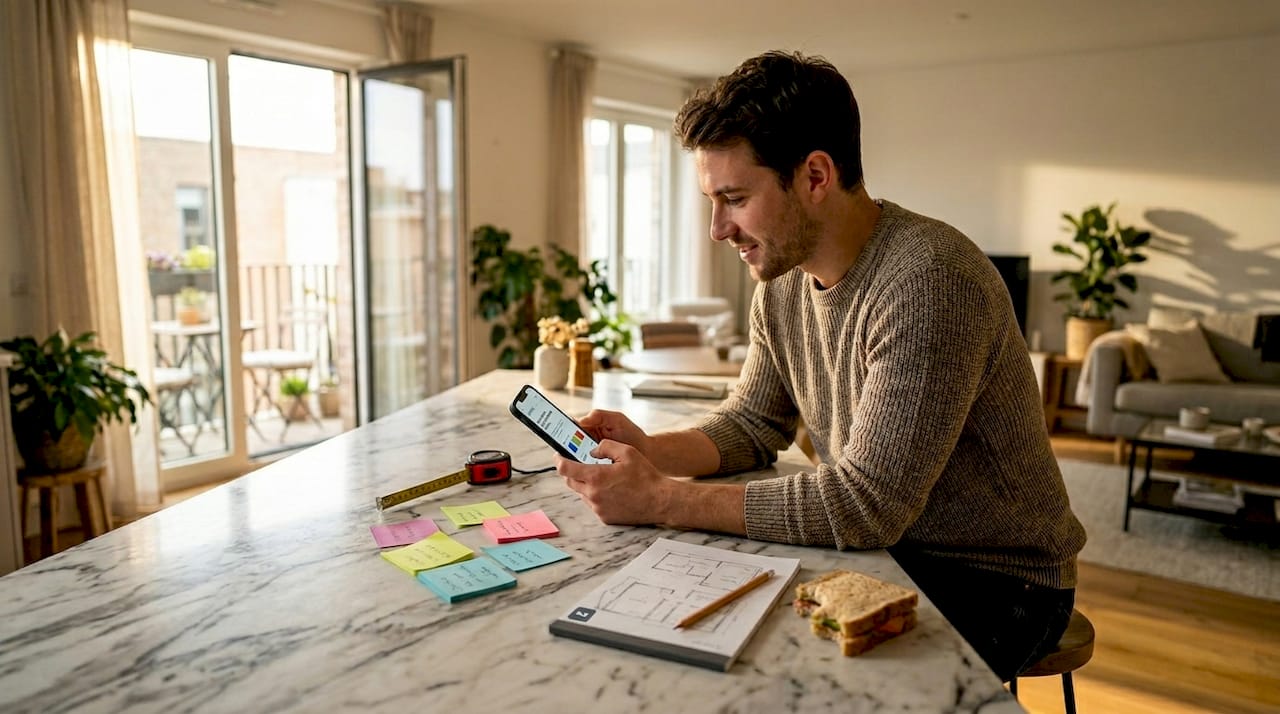
If you want to experiment with color schemes and arrangements before buying anything, mobile design apps let you test ideas on photos of your actual rooms.
Top homeowner upgrades: Lasting impact, from lighting to color drenching
While renters need reversible options, homeowners can consider upgrades with deeper, long-term effects.
Owning your space opens a different category of enhancements entirely. You can invest in changes that compound over time, adding comfort, character, and real estate value. Here is a sequence that professional designers consistently recommend:
- Update your lighting first. Swap builder-grade fixtures for statement pieces. Add dimmer switches. Layer sources: overhead, task, and ambient. Smart lighting tips help you see how layered light changes the mood of any room before you commit.
- Apply color drenching. The color drenching method uses the same hue across walls, trim, and ceilings with variation in sheen. It alters spatial perception dramatically, making rooms feel both larger and more intentional. Always test undertones first and pair the color with 2700K warm lighting for the most accurate reading.
- Mix textures and materials. Combine matte and gloss, rough and smooth, old and new. The contrast makes a room feel curated rather than catalog-bought.
- Invest in high-impact textiles. Thick curtains, layered bedding, and quality upholstery communicate luxury without major construction.
Here is a quick comparison of permanent versus semi-permanent homeowner upgrades:
| Upgrade | Type | Avg. cost | Style impact | Reversibility |
|---|---|---|---|---|
| Recessed lighting | Permanent | $$$$ | Very high | Low |
| Color drenching (paint) | Semi-permanent | $$ | High | Medium |
| Statement light fixtures | Semi-permanent | $$$ | High | High |
| Hardwood flooring | Permanent | $$$$ | Very high | Low |
| Wallpaper (traditional) | Semi-permanent | $$ | High | Medium |
| Crown molding | Permanent | $$$ | Medium | Low |
One thing expert decorating perspectives consistently challenge is the rigid “one focal point per room” rule. In real homes where rooms serve multiple purposes, this guideline breaks down fast. Mixing old and new pieces, layering light sources, and avoiding overly matched sets creates rooms that feel lived-in and interesting rather than staged. AI-powered photo enhancement tools can show you what these combinations look like in your actual space before you paint a single wall.
Leverage digital tools: Visualize and plan before you commit
Before you finalize any upgrade, see how modern tools can eliminate costly mistakes.
Visualization tools aid renters and homeowners in safely experimenting with lighting, color, and furniture before making any permanent decisions. The risk of getting it wrong, whether that means a paint color that looks nothing like the swatch or a sofa that blocks natural light, is significantly reduced when you can see results ahead of time.
Here is how the main digital tool categories compare:
| Tool type | Best for | Renter suitability | Homeowner suitability | Learning curve |
|---|---|---|---|---|
| AI photo editors | Quick visualization on real photos | Excellent | Excellent | Low |
| Mobile interior apps | Furniture layout and staging | Good | Good | Low |
| Online room planners | Floor plan and layout work | Limited | Excellent | Medium |
| Professional 3D software | Full renovation rendering | Limited | Good | High |
AI photo editors stand out because they work on photos of your actual room. You are not designing a hypothetical space. You are seeing changes on your real walls, your real floors, your real furniture. The AI visualization benefits go beyond aesthetics. They help you spot problems before they happen, like noticing a paint color clashes with your flooring only after you see it applied digitally.
Online room planners are valuable for homeowners tackling bigger layout changes, like rearranging an open-plan kitchen or planning a bedroom addition. They do require more time to set up but deliver detailed scale modeling.
For a step-by-step guide to getting the most from photo-based tools, the photo editing tutorial walks you through the full process.
Pro Tip: Before committing to a major change, share your digital visualization with two or three people whose taste you trust. Fresh eyes catch issues you have gone blind to from staring at your own space.
What most design advice gets wrong about real-life interiors
With all these strategies laid out, here is a candid take on what truly matters when enhancing interiors.
Most design content is optimized for photography, not for living. The rooms you see in magazines or on social media are styled for a camera angle, not for a family of four eating breakfast. Rules like “one focal point” collapse instantly in multi-use real homes where a living room is also a workspace and a playroom.
The most satisfying interiors we have seen are not the most rule-compliant ones. They are the ones that reflect how the people inside them actually live. That might mean a gallery wall that mixes cheap prints with expensive art, or a kitchen that ignores the open-shelf trend because the owner just needs closed storage.
Blending old and new, embracing multipurpose living, and breaking rules intentionally is where real design satisfaction comes from. AI-powered creative design tools can help you experiment with those unconventional combinations safely. The goal is a space that works for you, not one that photographs well for someone else.
Enhance your interiors effortlessly with digital visualization
Ready to see your vision before you take the plunge? The biggest mistake most people make is committing to an upgrade without ever seeing how it will look in their actual space. That is exactly the problem the VibeMyFlat AI photo editor solves.

With VibeMyFlat, you describe the change you want in plain language, new wall color, different lighting, updated furniture, and the AI applies it to your real room photo in under 30 seconds. No design skills needed. No guessing. Whether you rent and need to test reversible ideas or own and are planning a major renovation, VibeMyFlat gives you the confidence to decide faster and spend smarter. Try it free on iOS, Android, or the web.
Frequently asked questions
What are the quickest renter-friendly interior upgrades?
Renter-friendly enhancements like peel-and-stick wallpaper, removable tiles, Command strips, and tension rods offer instant, reversible improvements you can undo in an afternoon.
How does color drenching change a room?
Color drenching applies a single hue across walls, trim, and ceiling with varied sheen levels, altering spatial perception and making spaces feel more cohesive and expansive.
Which digital tools help visualize interior changes?
AI photo editors, mobile apps, and room planners all let you test colors, layouts, and decor on real or simulated room photos before making any commitment.
Do lighting and textiles matter more than furniture?
In most cases, yes. Lighting and textiles deliver faster, more noticeable visual impact and are far simpler to update than replacing furniture.