Interior editing solutions: a guide to smarter spaces
Interior editing solutions: a guide to smarter spaces

TL;DR:
- Interior editing tools enable homeowners to visualize design changes before making physical alterations.
- AI-powered solutions offer fast, realistic previews accessible on mobile devices for all skill levels.
- Using these tools can save money, improve communication, and boost confidence in renovation decisions.
Transforming your apartment doesn’t have to mean months of construction dust, contractor quotes, or budget anxiety. Most homeowners assume meaningful change requires major investment, but that assumption is increasingly out of date. Interior editing solutions, tools that let you visualize design changes on photos of your actual space, have made it possible to experiment freely before spending a single dollar. This guide covers exactly what these solutions are, how AI powers them, how they compare, and where they fit into real renovation and staging projects. By the end, you’ll know how to use them confidently.
Table of Contents
- What are interior editing solutions?
- How technology and AI have revolutionized interior editing
- Comparing top interior editing tools for homeowners
- Practical applications: Using interior editing to transform your space
- Common mistakes and how to get the most from interior editing
- A fresh perspective: Why every homeowner should embrace digital interior editing
- Ready to redefine your space? Start with VibeMyFlat
- Frequently asked questions
Key Takeaways
| Point | Details |
|---|---|
| Visualize before you remodel | Interior editing solutions let you see design changes digitally so you can decide with confidence. |
| AI makes editing easy | AI-driven tools allow anyone to experiment with interior designs without prior experience. |
| Choose the right tool | Comparing features ensures you select an interior editing tool that fits your specific needs. |
| Avoid common editing pitfalls | Stay realistic and strategic in your edits to get the most value and best results. |
What are interior editing solutions?
Interior editing solutions are digital tools that let you modify how a room looks in a photo without touching a single wall. Think of them as a visual sandbox. You upload a photo of your living room, describe or select a change, and see the result instantly.
These tools can preview a wide range of changes, including:
- Wall color swaps from neutral beige to deep navy or warm terracotta
- Furniture placement and replacement, removing a bulky couch or adding a sectional digitally
- Lighting adjustments to simulate natural daylight or warm evening ambiance
- Flooring changes, swapping carpet for hardwood or tile in seconds
- Décor additions, like rugs, art, plants, and shelving
The key benefit is that you see the outcome before committing to it. As one interior design approach confirms, interior editing lets you see style changes before remodeling, reducing expensive guesswork significantly.
“Visualizing a change before you make it is one of the most powerful tools a homeowner has. It turns abstract ideas into concrete decisions.”
Beyond individual style choices, digital visualization improves decision making at every stage. When you can show a partner, friend, or contractor exactly what you’re imagining, communication becomes far more precise. Misunderstandings shrink. Expensive change orders after work has started become less common. Interior editing solutions are, at their core, a way to turn guesses into informed choices.
How technology and AI have revolutionized interior editing
Early interior editing tools were complex. They required design software knowledge, layering skills, and hours of practice. Most homeowners gave up before they saw results. That era is largely over.
AI-driven tools allow you to transform interior photos instantly, without manual layer adjustments or technical expertise. You describe what you want in plain language, and the AI interprets it using design principles baked into its training. You might type “make the walls sage green with warm lighting” and get a photorealistic preview in under 30 seconds.
Here’s what modern AI interior editing tools can handle with ease:
- Replacing wall colors while preserving shadows and light gradients
- Digitally staging an empty room with furniture suited to the floor plan
- Removing clutter or existing furniture from a photo
- Adjusting natural and artificial light to match a preferred mood
- Swapping flooring materials across an entire room view
The benefits over traditional tools are clear: speed, flexibility, and accessibility. You don’t need a design degree. You don’t need expensive software. And with mobile interior editing apps now available on iOS and Android, you can work from your phone during a lunch break.
Pro Tip: Start with AI-powered tools if you’re new to interior editing. The learning curve is minimal compared to traditional design software, and results come fast enough to keep you motivated.
This shift matters because it democratizes design. What once required a professional and a budget now takes a smartphone and a clear idea.
Comparing top interior editing tools for homeowners
Not all interior editing tools are built the same. Choosing the right one shapes your entire experience, and as research confirms, the right tool can dramatically affect your results.
Here’s a comparison of key criteria to evaluate:
| Tool type | AI features | Platform | Cost range | Best for |
|---|---|---|---|---|
| AI photo editor | High | Web + mobile | Free to $30/mo | Quick visualizations |
| Traditional software | Low | Desktop only | $50+ one-time | Detail-heavy projects |
| AR room planner | Medium | Mobile only | Free to $20/mo | Furniture placement |
| Online staging tool | Medium | Web | $10 to $50/project | Real estate staging |
When evaluating which tool to use, follow these steps:
- Define your goal. Are you staging for sale, planning a renovation, or just exploring décor ideas?
- Check platform compatibility. Some tools only work well on desktop; others shine on mobile.
- Test the AI interaction. The best tools understand natural language, not just sliders and dropdowns.
- Review output quality. Look for realistic lighting, proportional furniture, and accurate color rendering.
- Consider your budget. Many AI tools offer free tiers that are powerful enough for casual projects.
Pro Tip: Try two or three tools on the same photo before committing to a paid plan. Comparing outputs side by side reveals real differences in quality that reviews alone won’t show you.
Exploring AI tool alternatives is a great way to find options tailored to your specific project type without locking in too early.
Practical applications: Using interior editing to transform your space
Knowing what tools exist is one thing. Knowing how to put them to work is where real value shows up. Interior editing solutions fit naturally into several common homeowner scenarios.

Pre-renovation planning: Before hiring a contractor, use editing tools to finalize decisions on paint colors, cabinetry finishes, and flooring. This prevents mid-project changes that drive up costs.
Apartment staging for sale: Professionally edited photos can boost property appeal by up to 95%, making listings stand out to buyers scrolling through hundreds of options online.
Daily décor experimentation: Not sure whether that accent wall works? Edit a photo of your room before picking up a paintbrush.
Here’s a typical project workflow using interior editing tools:
- Upload a clear, well-lit photo of the space
- Describe your desired change in plain language or select from style options
- Review the AI-generated preview and adjust as needed
- Save and share the result with contractors, family, or your real estate agent
- Use the final vision as a reference throughout the actual project
| Use case | Time to result | Skill level needed | Estimated savings |
|---|---|---|---|
| Color preview | Under 1 min | Beginner | $200+ in paint waste |
| Furniture placement | 2 to 5 min | Beginner | $500+ in returns |
| Pre-sale staging | 5 to 15 min | Intermediate | $1,000+ in staging fees |
| Full room redesign | 10 to 20 min | Beginner to intermediate | $2,000+ in design fees |
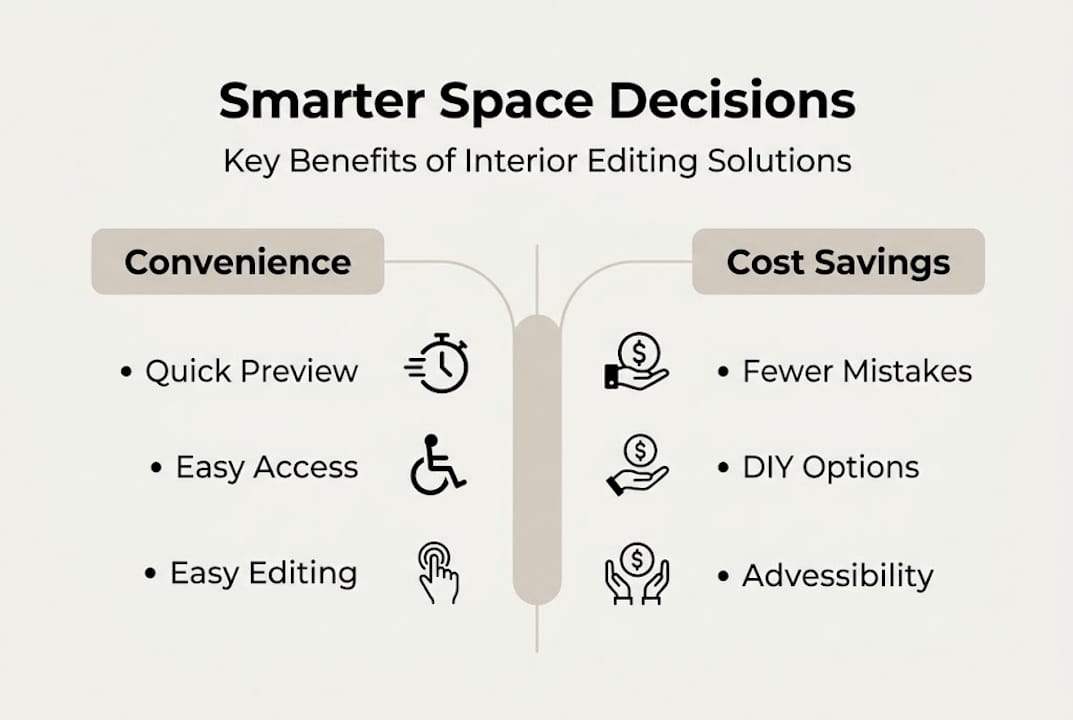
One often overlooked benefit is accessibility. As research shows, editing interior photos makes home changes more accessible and effective for people of all ages and abilities. Seniors, renters, and first-time homeowners can all use these tools without prior design experience. For deeper guidance on capturing the right photos to edit, stunning home photo editing tips walk you through the process step by step.
Common mistakes and how to get the most from interior editing
Even with great tools, it’s easy to produce edits that look off or misleading. Knowing what to avoid saves you from false expectations and wasted effort.
The most common mistakes include:
- Unrealistic color choices: Choosing colors that look vivid on screen but clash in real lighting conditions
- Overcrowding the frame: Adding too much furniture digitally makes the space feel smaller and harder to evaluate
- Ignoring light consistency: Placing furniture or objects that don’t match the light direction in the original photo breaks the realism immediately
- Over-filtering: Heavy contrast or saturation adjustments make photos look edited rather than natural, reducing their usefulness for planning
- Skipping scale checks: A sofa that looks great in the edit might be completely out of proportion to the actual room dimensions
As even professional photo editing guidance confirms, even experienced editors must be careful to avoid over-editing, because it undermines the practical value of the visualization.
To get the most from your edits:
- Work with high-resolution, evenly lit source photos
- Make one change at a time and evaluate before adding more
- Use realistic color palettes and material textures rather than idealized ones
- Cross-reference edits with actual paint swatches or fabric samples
Pro Tip: Test small changes first. Swap one wall color or replace one piece of furniture before redesigning the entire room. This builds your eye for what works without overwhelming the space visually.
Realism is the goal. The best edits look like photographs of a room that actually exists.
A fresh perspective: Why every homeowner should embrace digital interior editing
Here’s what most articles won’t tell you: the biggest barrier to using interior editing solutions isn’t skill or cost. It’s the belief that design decisions have to feel heavy.
Homeowners often treat renovation choices like permanent commitments before a single wall is touched. That pressure leads to paralysis, which leads to either doing nothing or making rushed decisions they regret later.
Digital interior editing flips that dynamic entirely. Experimentation becomes free and fast. You can try ten versions of a room in an afternoon and feel genuinely confident about the one you choose. We’ve seen homeowners go from completely stuck to moving forward with a renovation in the same day, simply because they could finally see what they were choosing.
The tools available in 2026 are good enough that this isn’t a workaround or a shortcut. It’s the smarter way to design. The future of home improvement is visual-first, try-before-you-buy planning. Homeowners who adopt that mindset spend less, stress less, and end up with spaces they actually love.
Ready to redefine your space? Start with VibeMyFlat
You’ve got the framework. Now it’s time to see what your space could look like with a few well-placed changes.

VibeMyFlat’s interior editing platform puts everything covered in this guide into a single, easy-to-use tool. You upload a photo, describe your vision in plain language, and get a professional-quality result in under 30 seconds. No design background required, no software to install, no complicated menus to navigate. Whether you’re planning a full renovation, prepping an apartment for sale, or just curious what a different wall color would look like, VibeMyFlat meets you exactly where you are. It works on both web and mobile, so your next design idea is always within reach.
Frequently asked questions
What is the main advantage of using interior editing solutions before remodeling?
You can preview design changes digitally, reducing the risk of costly mistakes and ensuring your vision matches reality. Previewing digital changes helps prevent expensive missteps before any physical work begins.
Do AI-powered tools require advanced design skills to use?
No, modern AI interior editing tools are built for beginners and guide you through customization with simple, intuitive steps. AI tools are accessible to all skill levels, including those with zero design experience.
Can editing interior photos really increase my property’s appeal for sale?
Yes, professionally edited photos can increase property appeal by up to 95%, which makes a measurable difference when buyers are comparing listings.
What mistakes should I avoid when editing my apartment’s interior photos?
Avoid unrealistic effects, overcrowding, and inconsistent lighting to keep edits believable and useful for planning. Over-editing reduces the photo’s realism and practical decision-making value.