Top 4 Roomaidecor.com Alternatives for 2026
Top 4 Roomaidecor. com Alternatives for 2026

Finding interior photo editing software that creates real room mockups quickly without advanced skills remains difficult. Many tools limit free access or restrict design options, making it hard to test across real world interiors. Homeowners, real estate agents, and designers can weigh feature differences here and pick the right platform for 2026.
Table of Contents
VibeMyFlat

At a Glance
VibeMyFlat reports over 50,000 photos edited and a 4.8-star average rating. The vendor says users upload a photo, describe changes in plain English, and get AI edits in seconds. That speed claim supports quick listing updates and fast design mockups.
Core Features
The app accepts plain English instructions and applies edits with an AI engine that targets apartment and interior photos. According to the company, edits appear in seconds, letting you test color choices, lighting changes, or furniture swaps without manual retouching. The product also includes a gallery of example transformations and works on both mobile and desktop devices.
Key Differentiator
The standout capability is natural language commands that remove the need to learn complex photo editors. You describe a change in English and the system interprets design intent. That workflow shifts work from tool learning to decision making.
Pros
Nontechnical users can produce professional looking results because the interface uses plain English and example galleries to guide choices. The editing turnaround is fast, which helps agents and hosts refresh listings between viewings. The app is accessible on multiple devices, and the vendor rating above suggests strong user satisfaction.
Cons
- Limited to apartment and interior photo types. This focus means VibeMyFlat will not handle landscape, product, or fashion photography.
Who It’s For
Homeowners who want to preview paint, lighting, or furniture changes will find this useful. Real estate agents can create alternate staging images for listings on the go. Interior designers and property managers can mock up renovation options quickly for clients and contractors.
Unique Value Proposition
The web based platform and mobile application let you change wall colors, update lighting, or redesign spaces using plain English. That approach reduces time spent learning software and keeps focus on the design decision. Teams handling many listings can rework photos without hiring a retoucher, which shortens prep time for marketing.
Real World Use Case
A real estate agent photographs an apartment on a phone and uploads three images. They request brighter lighting and a neutral wall color, then show two alternate versions to a client before the first viewing. The client picks a favored scheme, and the agent orders staging or updates accordingly.
Pricing
The app is free to download and requires no credit card to start. Some advanced capabilities may require a subscription or in app purchases. You can test basic edits without entering payment details.
Website: https://vibemyflat.com
HomeDesignsAI
At a Glance
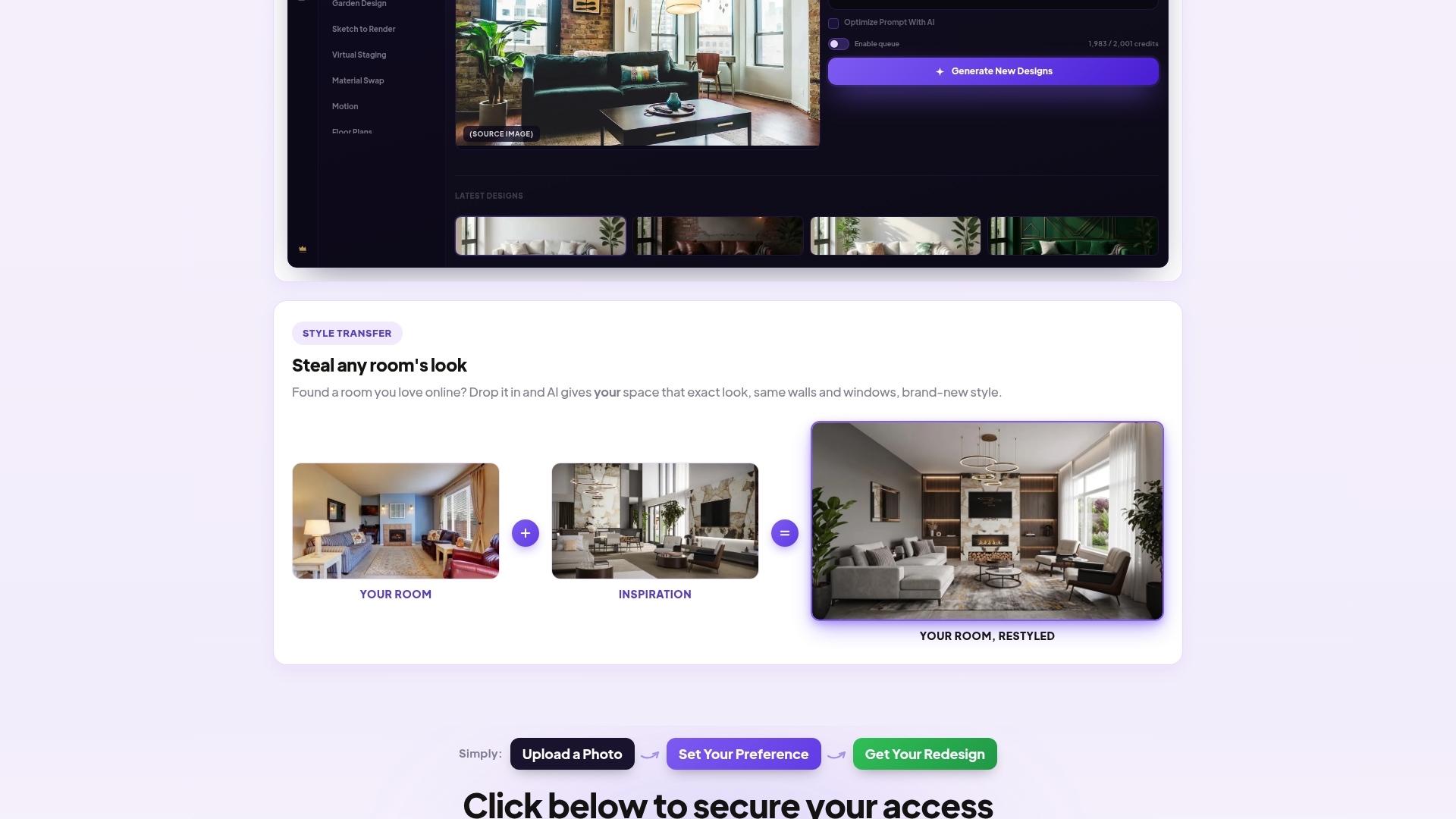
HomeDesignsAI’s marketing materials state photorealistic redesigns finish in less than 30 seconds. The tool keeps the original room walls, windows, and layout unchanged while changing only design elements. That makes quick visual checks possible before you commit to purchases or contractor bids.
Core Features
HomeDesignsAI accepts a photo or sketch and applies design changes while preserving room geometry. The app advertises over 160 design styles and can produce photorealistic 3D renders and short videos from the same input. It also includes automatic decor styling, furniture swapping, decluttering, floor plans, and shopping links for finished looks.
Key Differentiator
The product’s main distinction is that it does not invent a new room. It applies design changes while keeping the real room structure unchanged, so windows, door placement, and fixed fittings remain accurate in renders. That focus helps you evaluate design choices without worrying about incorrect room anatomy.
Pros
The interface makes fast experiments practical for homeowners and agents. The vendor highlights rapid turnaround and many built in tools such as virtual staging and decluttering, which reduce setup time for listing photos. Built in floor plan support and shopping links help you move from visualization to purchasing without switching tools.
Cons
- Subscription or credit system limits output unless you upgrade or buy credits. This restricts frequent users.
- AI results sometimes miss highly specific or complex requests, producing designs that need manual tweaks. This can add editing time.
- Free access is limited, so full functionality requires paid plans or credits.
When It May Not Fit
People who need construction grade blueprints or permit ready documents will need a different tool. Users with intermittent internet will find the service unusable because it needs a live connection. Heavy users who expect unlimited free edits will face recurring costs from the credit model.
Who It’s For
The product suits homeowners testing renovation looks, interior designers sketching concepts, and real estate professionals staging listings quickly. Landscape designers can also use the garden and exterior styling features for client proposals. It fits teams that value fast visual feedback over technical drafting.
Real World Use Case
A homeowner uploads living room photos to compare modern, minimalist, and rustic styles. The app returns photorealistic images that keep the room layout intact, which the owner shares with a contractor to estimate work. The images also link to furniture sources for faster purchasing.
Pricing
The vendor lists plans and a contact option rather than public tiered pricing. See plans here or contact HomeDesignsAI for details. The service appears to rely on subscription or credits for full access.
Website: https://homedesigns.ai
RoomGPT

At a Glance
RoomGPT reports over 4 million users worldwide. That figure highlights a large user base and a broad gallery of sample room transformations. The app focuses on converting a single room photo into multiple style previews quickly for homeowners and renters.
Core Features
RoomGPT delivers AI-based interior room redesigns from a single uploaded photo, and it generates visual previews across multiple themes and layouts. The platform supports easy sign in with Google and simple account creation to save and revisit designs. A large gallery of sample transformations helps you pick a starting point for common room types.
Key Differentiator
RoomGPT centers on instant, photo-driven redesigns that show whole-room theme previews rather than isolated edits. The editing flow keeps the uploaded photo intact while swapping styles and furniture concepts visually. That focus makes the tool especially useful when you want quick, side-by-side comparisons of different decor directions.
Pros
The visual mockups are widely praised for their realistic look, which helps people evaluate options without arranging physical furniture. The interface keeps the process short and approachable, so nontechnical homeowners can test ideas in minutes. Because RoomGPT focuses on image previews, it works as a cost effective alternative to hiring a decorator for initial concepting. That number of users also means a broad set of community examples to browse for inspiration. The Google sign in option lowers friction for casual testers and quick trials.
Cons
- Limited to AI generated mockups and does not include actual interior design or purchasing guidance.
- Visualizations may not match real world material finishes or exact furniture sizes, which affects feasibility.
- Customization stops at basic theme swaps and offers fewer fine control tools for detailed layouts.
- The AI can struggle with complex room geometry, producing inaccurate object placement or perspective errors.
When It May Not Fit
If you need a full specification package with measurements and sourcing, RoomGPT will not supply it. Professionals who require CAD exports or detailed floor plans should look elsewhere. Projects that depend on accurate material samples or exact color matching may find the visualizations insufficient. Also, large renovation projects requiring contractor ready deliverables will need a different service.
Who It’s For
Homeowners and renters who want fast visual ideas before they buy paint, furniture, or start a renovation project will find RoomGPT useful. Interior enthusiasts who prefer to iterate visually rather than sketch or draft plans will appreciate the rapid concept previews. It also suits listing hosts who want multiple staged looks for a single room photo.
Real World Use Case
A homeowner uploads a living room photo and runs three theme presets to compare light, mid century, and minimalist looks. They share the top two previews with a spouse and use the images to shortlist furniture pieces. The visuals help avoid costly mistakes before buying large items.
Pricing
RoomGPT advertises a limited time sale with 60% off on all plans. Beyond the sale, the vendor does not list a clear subscription model in the available information. Expect a subscription or paid plan structure, but check the site for current pricing and plan details.
Website: https://roomgpt.io
Collov AI Virtual Staging
At a Glance
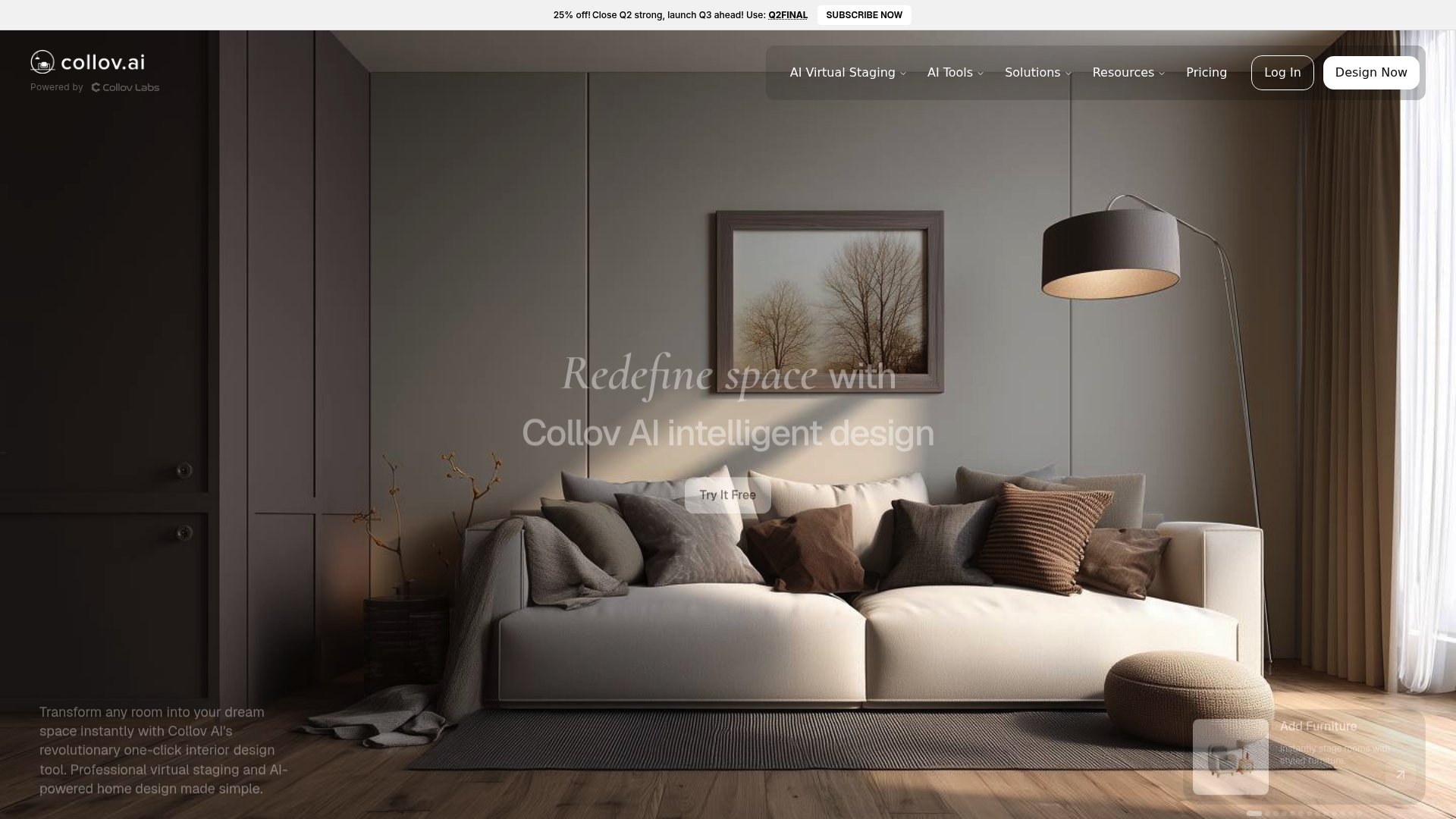
According to the company, Collov AI delivers staged images in seconds to minutes per photo. The vendor reports it is trusted by thousands of real estate professionals. The service targets rapid photo transformation that helps list photos look furnished and market ready.
Core Features
Collov AI focuses on photorealistic virtual room staging, with tools for adding and removing furniture and swapping interior styles. The platform offers automatic photo enhancement, brightness optimization, and overlays for materials and finishes to preview renovations. It also includes seasonal decor and outdoor updates, high-resolution downloads with commercial licenses, multi-angle staging, human-assisted options, and API integration for workflow use.
Key Differentiator
The vendor advertises staged results at a fraction of traditional staging costs while keeping a broad library of interior styles. Collov AI emphasizes quick turnaround and photorealism to help listing images look polished without physical staging. That combination positions it as a cost-focused alternative for teams that need many staged images fast.
Pros
Photorealistic results often improve listing presentation and reader appeal, and reviewers say images can drive stronger online engagement. That speed claim appears across marketing and shows up in fast edits and high throughput for many photos. The platform provides extensive style choices, options for outdoor and seasonal looks, and high-resolution downloads that work for commercial marketing.
Cons
- Some staged results can look slightly artificial depending on photo quality and chosen style. This issue appears more on low resolution or complex rooms.
- Personalization for very custom interiors is limited beyond the available style library. Agents seeking bespoke, designer-level tweaks may find constraints.
- Customer support responsiveness varies by report. Occasional delays have been mentioned by buyers.
When It May Not Fit
Collov AI may not suit listings with very poor lighting or unusual architectural complexity because results depend on photo quality. Buyers needing highly custom interior designs will hit style limits beyond preset options. High-volume professional teams may need a top tier to keep pace with heavy staging demand. Agencies that require in-person staging or bespoke design packages should look elsewhere.
Who It’s For
Real estate agents, property marketers, interior designers, and real estate photographers who need quick, low-cost visual staging will find this useful. Small brokerages and solo agents who manage multiple empty listings will benefit from fast turnarounds. Teams that plan many staged images and want commercial download rights fit the profile well.
Real World Use Case
An agent uploads empty listing photos, selects a modern living room style, and receives staged images that show a furnished interior. The staged photos update the listing page and marketing flyers the same day. That speed makes it easy to test different styles and track buyer response across platforms.
Website: https://collov.ai
Comparison of alternatives
Quickly comparing options highlights unique strengths between VibeMyFlat and its competitors. Here, we analyze dimensions significant to user needs.
Natural language functionality for photo editing
VibeMyFlat excels by enabling users to describe edits in plain English, which the system instantly applies, empowering those unfamiliar with complex software interfaces. Competitor platforms rely on structured inputs or predefined design styles. For example, RoomGPT offers diverse style previews but lacks text-based customization.
Visual design functionalities and layout retention
HomeDesignsAI stands out through its adherence to real-world room geometries during design updates, ensuring accurate visual planning for cohesive space transformations. In contrast, while VibeMyFlat focuses on quick edits, it has limited compatibility with structural complexities tied to specific physical layouts. Teams needing nuanced, physics-aware designs may find HomeDesignsAI.
Best fit
- For users reliant on simple English commands or managing fast apartment stage transformations, VibeMyFlat is well-suited to rapidly delivering accurate results tailored to basic editing demands.
- To secure photorealistic design outputs embracing diverse architectural settings, HomeDesignsAI provides, layered renders.
- Collov AI Virtual Staging remains apt for high-volume staging needs, especially for operational teams with consistent listing rotations.
- RoomGPT facilitates effective thematic investigations, enabling users to discover visual inspirations among an expansive library swiftly.
Our pick
For homeowners and agents seeking efficient, friendly photo editing, VibeMyFlat remains a reliable software solution offering uses for applied design concepts using guided natural language interactions. However, users requiring in-depth structural editing or voluminous virtual staging may explore HomeDesignsAI or Collov AI respectively.
For users seeking versatile tools for interior photography edits, the following comparison highlights key features across top software options.
| Product | Key Feature | Best For | Pricing | Limitation |
|---|---|---|---|---|
| Vibemyflat | AI-based edits with plain English commands | Homeowners and real estate professionals | Some features may require subscription | Limited to apartment and interior photos |
| HomeDesignsAI | Over 160 design styles and photorealistic renders | Interior designers and homeowners | Price not published | Requires subscription for full functionality |
| RoomGPT | Multi-theme AI-driven room style previews | Renters and listing hosts | Limited time sale | Lacks detailed layout customization |
| Collov AI Virtual Staging | Rapid virtual staging with photorealistic results | Real estate agents and marketers | Price not published | Style library personalization limitations |
Choosing the Right Alternative for Roomaidecor.com Needs
Many homeowners, real estate agents, and interior designers face challenges when editing and enhancing apartment photos quickly and easily. The article highlights how users want to update photos with natural language instructions to visualize design ideas without complex tools. Vibemyflat answers that need by offering a web-based and mobile solution that understands plain English commands. It gives professional photo edits in under 30 seconds, letting you change wall colors, lighting, or furniture fast and accurately.
If you need a tool tailored for multiple users like agents, property managers, or DIY renovators, check out Vibemyflat. Its speed, ease of use, and device compatibility help refresh listings or plan renovations without specialist skills. See how Vibemyflat can improve your interior photo editing at Vibemyflat. Get started with natural language editing and receive instant, high-quality results for your property photos.
FAQ
What makes Vibemyflat a suitable choice for interior photo editing?
Vibemyflat specializes in using natural language commands to describe edits. This capability allows users to upload photos and get AI-generated edits in seconds, which supports fast decision-making in design processes.
How does HomeDesignsAI compare to Vibemyflat regarding speed?
HomeDesignsAI advertises photorealistic redesigns that finish in less than 30 seconds, making it an excellent choice for users needing quick visual checks. Vibemyflat provides rapid edits but is especially useful for users who prefer making design decisions in plain English, focusing on simpler modifications for interior photos.
Which platform supports broader design styles, HomeDesignsAI or Vibemyflat?
HomeDesignsAI offers over 160 design styles, which gives users a wide range of options for interior designs. Vibemyflat is excellent for quick edits but is limited to apartment and interior photo types, making it less versatile for various design styles.
Can I get detailed guidance on purchasing furnishings with Vibemyflat?
Vibemyflat does not provide guidance on purchasing furnishings directly; it focuses on visualizing design changes through editing photos. Users looking for purchasing links or detailed furniture options may want to explore alternatives like HomeDesignsAI that include shopping links alongside design edits.
What additional features does Vibemyflat offer for nontechnical users?
Vibemyflat provides a user-friendly interface with example galleries to help nontechnical users achieve professional-looking results. This design focus allows users to easily experiment with changes and get swift feedback on their interior design choices.