The Role of Mobile Apps in Interior Design Today
The Role of Mobile Apps in Interior Design Today
TL;DR:
- Mobile apps now go beyond inspiration by offering precise room scanning, AI visualization, and augmented reality placement. They enhance interior design accuracy and speed but still require human judgment and physical verification for best results. Combining multiple app types with traditional tools ensures confident, cost-effective decorating decisions.
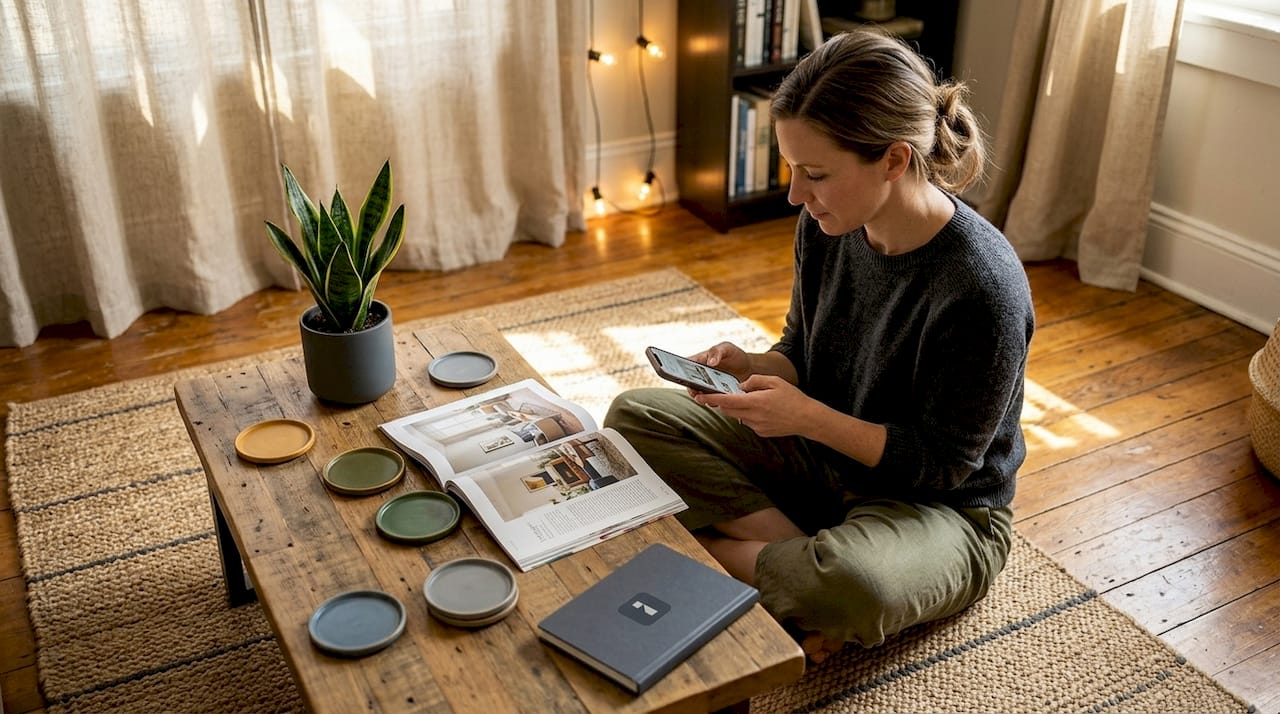
Most homeowners assume mobile apps are useful for inspiration browsing and not much else. That assumption misses a lot. The role of mobile apps in interior design has shifted significantly, moving from mood board tools into a category that includes precise room scanning, AI-powered visualization, and augmented reality furniture placement. Today’s best interior design apps integrate technologies like LiDAR, AR, and machine learning to give you measurement-grade accuracy and photorealistic previews. This article breaks down the types of apps available, how they work, what they do well, and where you still need human judgment to fill the gap.
Table of Contents
- Key takeaways
- The role of mobile apps in interior design: app types explained
- How the technology behind these apps actually works
- A practical workflow for your next design project
- Benefits and real limitations of design apps
- Best apps for interior decorators and homeowners in 2026
- My honest take after years of watching this space
- See what AI visualization can do for your space
- FAQ
Key takeaways
| Point | Details |
|---|---|
| Multiple app types serve different needs | Measurement apps, 3D planners, AR tools, and AI visualizers each solve a distinct problem in the design process. |
| LiDAR dramatically improves accuracy | LiDAR-equipped devices can scan a room in under 20 minutes with near-professional measurement precision. |
| Combine app types for best results | Using 3D planners and AR visualization together produces more reliable and confident design decisions. |
| AR reduces costly mistakes | AR visualization can reduce design decision time by up to 60%, cutting down furniture returns and layout errors. |
| Apps complement, not replace, expertise | Physical verification and professional judgment remain necessary alongside any mobile design tool. |
The role of mobile apps in interior design: app types explained
Not all interior design apps do the same job. Before you download anything, it helps to know which category fits your current need.
Measurement and floor plan apps are the most technical. Apps like MagicPlan use your phone’s camera or LiDAR sensor to scan walls, corners, and doorways, generating accurate floor plans without a tape measure. This is especially useful for odd-shaped rooms or when you want a digital record to share with a contractor or furniture store.
3D room planners work differently. Instead of scanning, they ask you to enter your measurements manually, then give you a virtual canvas where you can drag and drop furniture, test different layouts, and visualize traffic flow. 3D planners outperform AR when you need to plan a full renovation or try multiple layouts quickly.
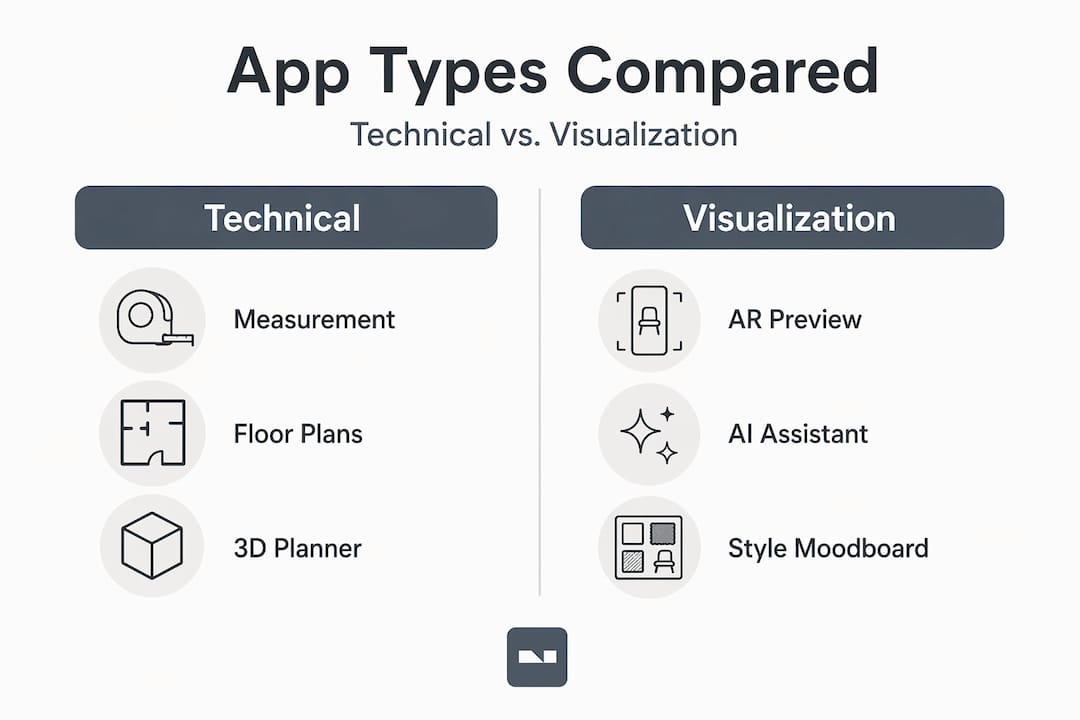
AR visualization apps let you hold your phone up to a real room and see a 3D furniture model placed in the actual space on your screen. They’re excellent for checking whether a sofa fits the visual weight of a room, though their accuracy has limits we’ll cover later.
AI design assistants represent the newest category. These apps take a photo of your room and generate style suggestions, swap out furniture, change wall colors, or apply design themes. They lean heavily on machine learning to produce results that look genuinely realistic.
Pro Tip: Start with a measurement app to create your floor plan, use a 3D planner for layout decisions, and save the AR or AI visualizer for the final confirmation step. Using them in that order avoids wasted effort.
How the technology behind these apps actually works
Understanding what powers these apps helps you trust them in the right situations and distrust them in others.
LiDAR (Light Detection and Ranging) fires thousands of invisible laser pulses per second to map the geometry of a room. On compatible devices, this delivers ±1.5% linear accuracy and can scan a full apartment in under 20 minutes. More impressively, LiDAR floor plans export to DXF and IFC formats, meaning they can drop directly into professional CAD software. That’s a level of output that was unthinkable from a phone five years ago.
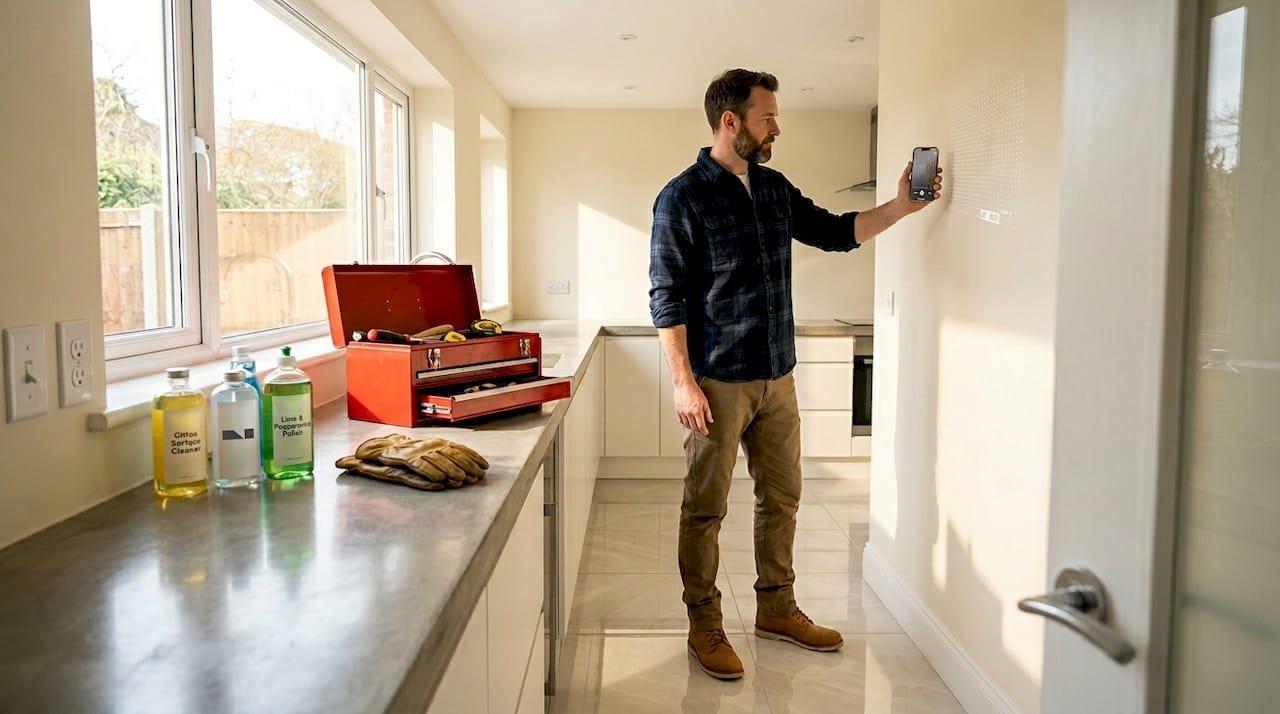
Camera-based AR is a different story. Without LiDAR, apps rely on camera tracking to estimate scale and position. The error margin here is ±5 to 15 cm per wall, which sounds small until you discover your new bookshelf is actually two inches wider than the space you thought it would fit. Camera-based apps are strong for proportional visualization but need manual correction before you commit to a purchase.
The table below summarizes the key differences:
| Technology | Best use case | Accuracy | Limitations |
|---|---|---|---|
| LiDAR scanning | Floor plans, contractor handoff | ±1.5% linear | Requires compatible device |
| Camera AR | Furniture placement preview | ±5-15 cm per wall | Poor at removing existing items |
| AI visualization | Style changes, photo-based redesign | High visual realism | Not spatial or dimensional |
| 3D planners (manual) | Layout planning, renovation | Depends on your measurements | Requires accurate manual input |
AI visualizers solve a problem that AR apps cannot. AR tools cannot digitally remove existing furniture from a room, so the overlay sits on top of your current setup. AI visualizers take a photo of your actual room, remove what’s there, and replace it with a redesigned version that matches the lighting and shadows of the original shot. The result feels much closer to what the finished room will actually look like.
Pro Tip: Always manually verify any measurement that will affect a purchase. Use your app measurement as a starting point, then confirm it with a physical tape measure for anything over two feet.
A practical workflow for your next design project
The best results come from treating mobile design tools as a sequence, not as standalone options. Here’s a step-by-step process that consistently works for homeowners and enthusiasts.
-
Scan your room first. If your device has LiDAR, use a scanning app to capture your floor plan before doing anything else. Walk slowly along each wall, keep the phone at chest height, and make sure the lighting is consistent throughout the room. Decluttering the space and avoiding reflective surfaces dramatically improves scan accuracy and reduces the need for recapturing.
-
Import or enter your measurements into a 3D planner. If your scanning app exports a floor plan file, bring it into your 3D planner directly. If not, use the dimensions from your scan to build the room manually. This is where you test different furniture arrangements, check that doorways clear, and plan traffic flow without moving a single piece of furniture.
-
Narrow down your shortlist. Once you have two or three layout options in your 3D planner, identify which furniture pieces you’re seriously considering. This is where you graduate to an AR app or AI visualizer for a final check.
-
Use AR or AI visualization for confirmation. For specific pieces, use an AR app to see how they sit in your actual space. For full room redesigns or style changes, use an AI visualizer to see a photorealistic version of your intended look. AR visualization can cut decision time by up to 60%, which matters when you’re juggling multiple opinions from family members or working to a budget.
-
Verify critical dimensions physically. No app replaces a tape measure for a tight fit. Check any measurement that affects a purchase, a delivery path, or a structural element by hand before placing an order.
-
Share your visualizations. Export images or screenshots from your apps and share them with family, a designer, or a contractor. Visual communication removes ambiguity and speeds up decisions on collaborative projects.
One habit that saves time is to calibrate your sensors before each scan and disable notifications during the process. A tracking disruption mid-scan can quietly corrupt measurements without obvious warning.
Benefits and real limitations of design apps
The benefits of design apps are concrete and worth taking seriously. Then again, so are the limits.
On the benefits side:
- Faster decisions. Seeing furniture at actual scale in your room removes the guesswork that causes paralysis or expensive returns.
- Cost savings. You skip paint samples, swatches, and the cost of professional measuring tools for basic planning.
- Better collaboration. Sharing a 3D layout or AI visualization with a contractor or family member communicates intent far more clearly than a verbal description.
- Reduced errors. Testing layouts digitally before moving heavy furniture prevents the frustration of discovering a piece doesn’t fit after delivery.
The limitations are just as real. Camera-based measurements carry enough margin for error that they should never drive a final purchasing decision alone. Most apps struggle with complex room geometries, skylights, or non-standard ceiling heights. And AR apps work as decision-support tools for narrowing options, not as a substitute for physically experiencing a space.
The common pitfalls come down to over-reliance. Users who trust app measurements for tight built-in furniture often end up with pieces that don’t fit. Others download a single app expecting it to handle scanning, planning, and visualization, then get frustrated when results fall short. The fix is to use the right tool for each job and keep a tape measure in the workflow.
Best apps for interior decorators and homeowners in 2026
The interior design app market has grown fast. AR home planners have seen 300% market growth since 2020, with over 150 million active users across the category. Here’s how the leading tools break down:
| App | Best for | Key feature | Free tier? |
|---|---|---|---|
| MagicPlan | Floor plans, contractor handoff | LiDAR scanning, DXF/IFC export | Yes, with limits |
| Planner 5D | Full room layout and remodeling | Detailed 3D editor, large furniture catalog | Yes |
| Roomle | Modular furniture configuration | Room planner plus product configuration | Yes |
| IKEA Kreativ | IKEA furniture visualization | AI room scanning with IKEA catalog | Free |
| Houzz | Design inspiration plus AR | AR “View in My Room” with large product catalog | Free |
| Roomstyler | Desktop-to-mobile workflow | Web-based with mobile companion | Free with paid renders |
For most homeowners, a combination of MagicPlan (for scanning) and IKEA Kreativ or Houzz (for AR visualization) covers the full journey without spending anything. If you’re planning a full renovation, Planner 5D or Roomle give you the layout depth you need. The mobile photo editing and AI visualization layer sits on top of all of this, letting you apply style changes to real photos of your space once the layout decisions are locked in.
My honest take after years of watching this space
I’ve seen homeowners spend weeks second-guessing a couch purchase that a 10-minute AR session would have resolved. I’ve also seen people place furniture orders based solely on app measurements and end up with a sectional that wouldn’t fit through the doorway. Both mistakes come from misunderstanding what these tools are and aren’t.
In my experience, the biggest shift in how mobile apps enhance design isn’t the technology itself. It’s the confidence they give you. When you can see a room at actual scale with your actual furniture in it, the fear of making a wrong decision shrinks. That leads to faster choices, fewer returns, and a more enjoyable process overall.
What I find genuinely interesting about the current trends in design apps is the speed of AI integration. Apps that once required a professional renderer to produce a realistic room image now do it in seconds from a phone photo. The gap between what a homeowner can visualize independently and what used to require a paid designer is closing fast.
My practical advice: use at least two different app types for any significant project. One for spatial accuracy, one for visual confirmation. Neither alone gives you the full picture, but combining 3D planners with AR visualization covers most of what you need for a confident decision. And always, always verify the measurements that matter most with a physical tool.
— Hello
See what AI visualization can do for your space
If this article has you thinking about how much clearer your next design decision could be, Vibemyflat is the natural next step. The platform lets you describe changes to your room in plain language and receive a realistic, AI-generated photo of the result in under 30 seconds. No complex tools, no design degree required.

Whether you want to test a new wall color, see how a different lighting setup feels, or completely redesign a room before committing to anything, Vibemyflat handles it from your phone or browser. Read the AI makeover guide for 2026 to see exactly how the visualization process works, or explore the [AI-driven design tools guide](https://vibemyflat.com/blog/why use ai driven design tools for-home-renovation) for a deeper look at how AI fits into real renovation workflows. When you’re ready to see your space transformed, start with Vibemyflat and describe the room you want.
FAQ
What is the role of mobile apps in interior design?
Mobile apps support interior design by handling room scanning, layout planning, furniture visualization, and AI-powered style previews. They give homeowners professional-grade tools that previously required hiring a designer or investing in expensive software.
How accurate are interior design apps for measuring rooms?
LiDAR-equipped apps achieve ±1.5% linear accuracy, while camera-based apps carry an error margin of ±5 to 15 cm per wall. Always verify critical measurements with a physical tape measure before purchasing furniture.
Can AR apps remove existing furniture from a room view?
No. AR apps overlay 3D models onto your current room as seen through the camera, so existing furniture remains visible. AI visualizers handle this better by digitally removing existing items and rendering a fully redesigned scene with matched lighting.
Which apps are best for homeowners with no design experience?
IKEA Kreativ and Houzz offer free AR visualization with large product catalogs and require no technical knowledge. For floor plans, MagicPlan’s LiDAR scanning is straightforward and produces accurate results with minimal setup.
Do I need a high-end phone to use these design apps?
LiDAR-based scanning requires a compatible device, currently limited to newer iPhone Pro models and select Android devices. Most AR and AI visualization apps work on mid-range smartphones, though older devices may experience slower performance during rendering.