What Is a Digital Apartment Makeover?
What Is a Digital Apartment Makeover?

TL;DR:
- Digital apartment makeovers use virtual tools and AI to visualize interior changes before physical work begins. These tools range from quick AI photo editors to full-service platforms that include designer input, helping users save money and make faster decisions. Combining digital planning with physical verification yields the most accurate and satisfying renovation results.
A digital apartment makeover is the process of redesigning your living space through virtual tools and AI-powered technologies that visualize and plan interior changes before a single piece of furniture moves. The industry term for this practice is virtual interior design, and it covers everything from swapping wall colors in a photo to generating full 3D floor plans with photorealistic renderings. Platforms like Vibemyflat have made this process accessible to anyone with a smartphone, not just professional designers. The core value is simple: you see the result before you spend the money.
What is a digital apartment makeover, exactly?
A digital apartment makeover is a virtual redesign process where you use apps, AI tools, or online platforms to plan, visualize, and refine interior changes without physical work. The standard industry term, virtual interior design, covers the same concept but tends to appear in professional contexts. For renters and homeowners, the practical meaning is the same: you upload a photo of your room, describe what you want to change, and the tool shows you the result.

This approach differs from traditional interior design in one critical way. You are not committing to purchases or construction until you have already seen the outcome. That shift in sequence is what makes digital home renovation so appealing to families working with tight budgets or rental restrictions.
The scope of a digital makeover can range from a single room refresh to a full online apartment redesign covering every space in the unit. Some people use these tools to test a new color palette. Others use them to plan a complete furniture layout before moving in. The technology supports both.
What tools and technologies power virtual apartment redesign?
The tools available for a digital space transformation fall into three broad categories, each suited to a different level of project complexity.
AI photo editors are the fastest entry point. Vibemyflat, for example, processes interior photo edits in under 30 seconds, using natural language prompts so you can type “change the walls to sage green” and see the result immediately. No design training is required.
3D floor planning apps go deeper. Planner 5D offers AI-powered 3D room planning, augmented reality features, and a large furniture catalog for users who want to experiment with layouts before buying anything. Homestyler AI provides instant style explorations and photo-realistic results for both interior and exterior spaces, appealing to renters and homeowners who want to see confident decisions before committing.
Full-service online platforms add human collaboration to the mix. Online interior design services offer features like human-designer collaboration, custom floor plans, and detailed shopping lists that go well beyond quick AI visualization. These platforms suit larger renovation projects where you want a professional guiding the process.
- AI photo editors: best for quick visual experiments, color changes, and lighting adjustments
- 3D floor planners: best for layout planning, furniture placement, and spatial decisions
- Full-service platforms: best for complete renovations with designer input and curated shopping
- Remodeling visualizers: tools like Block Renovation’s free Renovation Studio let you upload photos for AI design ideas and real-time budget estimates
Pro Tip: Match the tool to your project’s scale. A quick color refresh needs an AI photo editor. A full furniture overhaul benefits from a 3D planner. A gut renovation with contractor coordination calls for a full-service platform.
What are the benefits of a virtual apartment redesign?
The biggest benefit of a digital makeover is financial protection. Photorealistic renderings reduce renovation regrets by letting you see changes clearly before any physical work begins. Homeowners who visualize first report higher satisfaction with their final results.
The second major benefit is speed of ideation. You can test a dozen color combinations, three furniture layouts, and two lighting setups in an afternoon. That kind of rapid experimentation is impossible with physical samples and in-person consultations.
Here are the core benefits that make virtual interior design worth using:
- Cost protection. Seeing a change before buying materials or furniture prevents expensive mistakes.
- Creative freedom. You can experiment with bold styles you might never risk without seeing them first.
- Accessibility. Digital tools cost a fraction of traditional design consultations and are available at any hour.
- Better communication. Sharing a rendered image with a contractor or family member is clearer than describing an idea verbally.
- Faster decisions. Users value saving and sharing designs for feedback before committing to purchases, which shortens the decision cycle significantly.
“The ability to experiment with dozens of design options, styles, and layouts at any time without costly professional fees is what separates digital makeovers from every previous approach to home redesign. The barrier to trying something new has effectively dropped to zero.”
The accessibility point deserves emphasis. Renters, in particular, benefit from digital tools because they can plan changes that work within lease restrictions. Testing a removable wallpaper pattern or a new furniture arrangement digitally costs nothing and risks nothing.
How to get started with your digital makeover project
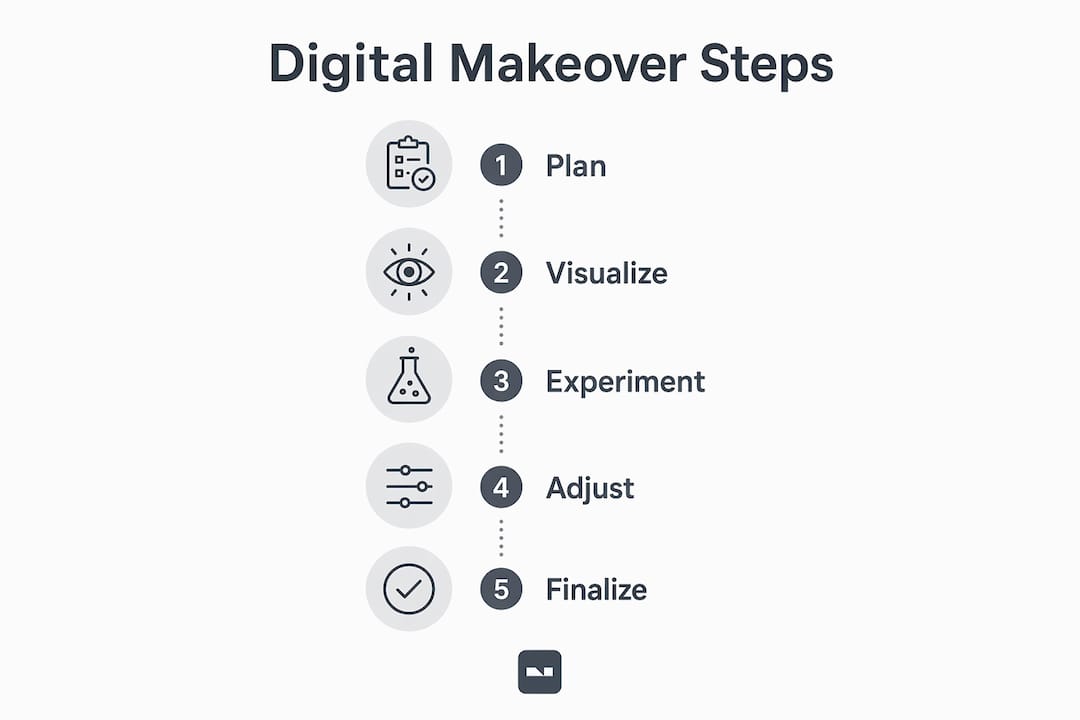
Starting a digital apartment makeover takes less preparation than most people expect. The process follows a clear sequence that works whether you are refreshing one room or redesigning the entire apartment.
-
Assess your space and set goals. Measure each room and photograph it from multiple angles in good natural light. Write down what bothers you about the current layout and what you want to feel when you walk in. Specific goals produce better digital results than vague ones.
-
Choose the right tool for your scope. A single-room color change calls for an AI photo editor like Vibemyflat. A full furniture rearrangement benefits from a 3D planner. Choosing the correct digital design tool depends on how much hands-on involvement you want and how complex your project is.
-
Input accurate data. Upload your photos or enter your room dimensions carefully. Inaccurate measurements produce renderings that look good on screen but fail in real life. Most 3D planners ask for room length, width, and ceiling height at minimum.
-
Explore and save options. Run multiple variations. Change the wall color, swap the sofa, move the rug. Save every version you like, even the ones you are not sure about. Comparing saved options side by side reveals preferences you did not know you had.
-
Get feedback before committing. Share your top designs with a partner, family member, or friend. If you want professional input, some platforms connect you with designers for a review. For client-led design projects, this collaborative step often surfaces practical concerns that solo planning misses.
-
Verify physically before purchasing. Order paint samples, fabric swatches, or furniture dimensions to confirm what the screen showed you. Digital renderings are accurate guides, not perfect replicas.
Pro Tip: Revisit your digital plan each time you find a piece of furniture or material you love. Update the rendering to include it and check whether it still fits the overall design. Plans that evolve with your discoveries produce the most coherent final results.
What limitations should you expect from digital makeovers?
Digital tools are powerful, but they have real constraints that every user should understand before relying on them fully.
- Texture and tactile feedback are absent. A rendered linen sofa looks convincing on screen, but you cannot feel the weave or assess the weight. AI-powered design tools may lack nuanced tactile feedback compared to in-person consultations. Physical samples remain necessary for final material decisions.
- Lighting nuances are hard to replicate. How afternoon sun hits a west-facing wall changes how a paint color reads. Renderings use simulated lighting that may not match your apartment’s actual light conditions at different times of day.
- Scale errors happen. Entering a room dimension one foot off produces a rendering where furniture fits perfectly on screen but crowds the real space. Always double-check measurements before finalizing a layout.
- Learning curves vary by tool. AI photo editors are accessible within minutes. Full 3D planning platforms can take several hours to learn well. Factor that time cost into your project planning.
- Sophisticated apps require capable devices. Some 3D rendering tools run slowly on older smartphones or tablets, which disrupts the design process.
The most effective approach combines digital planning with physical verification. Use the digital tool to narrow your options to two or three strong candidates, then validate those candidates with physical samples and in-person checks. That hybrid method captures the speed of digital ideation without the risk of committing to something that only worked on screen.
Key Takeaways
A digital apartment makeover reduces costly design mistakes by letting you visualize changes through AI tools, 3D planners, or full-service platforms before spending a dollar on materials or furniture.
| Point | Details |
|---|---|
| Definition is clear | A digital makeover uses virtual tools to plan and visualize interior changes before physical work begins. |
| Tool choice matters | Match the tool to your project: AI editors for quick changes, 3D planners for layouts, full platforms for renovations. |
| Visualization prevents regret | Homeowners report higher satisfaction when they use photorealistic renderings before committing to purchases. |
| Limitations are real | Digital tools cannot replicate texture or precise lighting; always verify key decisions with physical samples. |
| Hybrid approach wins | Combining digital planning with physical validation produces the most accurate and satisfying final results. |
Why I think most people underuse these tools
Most people treat digital makeover tools as a novelty rather than a planning discipline. They run one rendering, feel inspired, and then go straight to the store. That skips the most valuable part of the process.
The real power of virtual interior design is iteration. The third or fourth version of a room design is almost always better than the first. Each revision forces you to make a decision, and those decisions reveal what you actually want versus what you thought you wanted. I have seen families completely reverse their initial furniture choices after running three rounds of digital experiments, and every one of them was glad they did.
Technology is genuinely democratizing interior design. Renters who could never afford a professional designer now have access to tools that produce professional-quality visualizations. The gap between “I wish my apartment looked different” and “here is exactly what it will look like” has never been smaller.
The one mistake to avoid is letting the tool make your aesthetic decisions for you. AI suggestions are a starting point, not a final answer. Your personal taste, your daily habits, and the way your family actually uses the space should override any algorithm. Use the technology to test your ideas, not to replace them.
— Hello
How Vibemyflat fits into your apartment redesign
Vibemyflat is built for exactly the kind of rapid, low-commitment experimentation that makes digital makeovers valuable. You describe the change you want in plain language, upload your photo, and the AI delivers a professional-quality result in under 30 seconds.
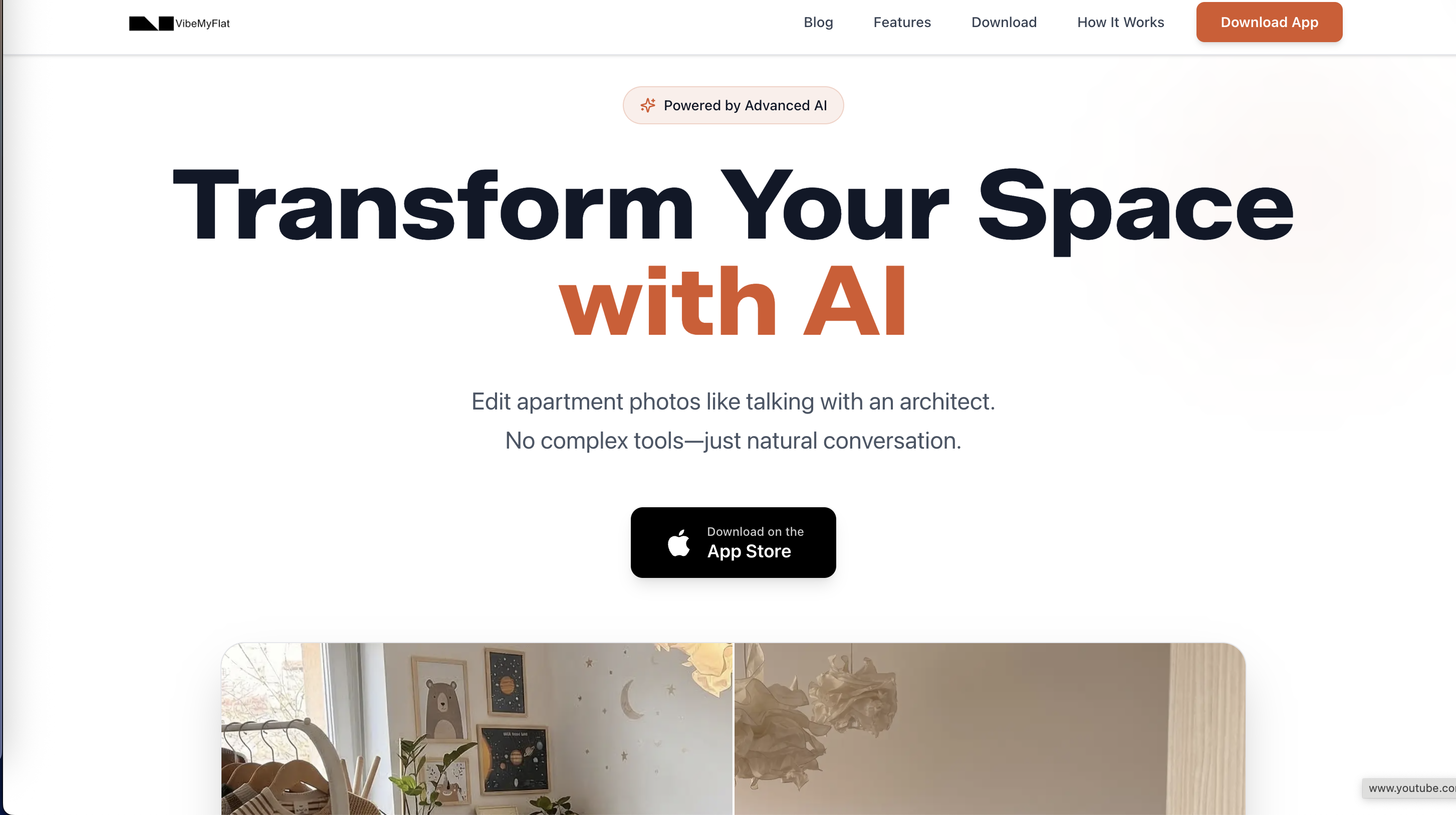
The platform works on iOS, Android, and web browsers, so you can redesign your living room on your phone during a lunch break. Vibemyflat understands design principles well enough to handle wall colors, lighting adjustments, furniture swaps, and full room overhauls from a single text prompt. For homeowners and renters who want to see real possibilities without hiring a designer, Vibemyflat’s AI photo editor is the fastest path from idea to visual proof. You can also explore custom floor plan features for projects that need more structural planning alongside your visual edits.
FAQ
What is a digital apartment makeover?
A digital apartment makeover is the process of redesigning your apartment’s interior using virtual tools, AI apps, or online platforms to visualize and plan changes before any physical work or purchases occur.
How is virtual interior design different from hiring a decorator?
Virtual interior design uses digital tools to let you visualize and plan changes yourself, at a fraction of the cost of a professional decorator, though full-service platforms can also connect you with human designers for more complex projects.
What is the best tool for a beginner digital home renovation?
AI photo editors are the best starting point for beginners because they require no design training. You upload a photo, describe the change in plain language, and receive a visual result within seconds.
Can digital makeover tools replace physical samples?
Digital tools narrow your options effectively, but they cannot replicate texture or real-world lighting. Experts recommend combining digital planning with physical samples before making final material or furniture purchases.
How accurate are 3D apartment makeover renderings?
Accuracy depends directly on the quality of your input measurements. Correct room dimensions produce reliable renderings; even small measurement errors can make furniture appear to fit when it does not in reality.