Why choose digital editing for interiors? Visualize easily
Why choose digital editing for interiors? Visualize easily
TL;DR:
- Digital editing allows homeowners to preview room changes quickly and risk-free.
- It enhances confidence, saves money, and improves communication by visualizing potential updates.
- Best used for experimenting with colors, layouts, and styles before involving professionals.
Repainting a living room only to hate the color afterward costs real money. Rearranging furniture twice before finding the right layout wastes a full weekend. Most homeowners carry this anxiety into every design decision, and the fear of expensive mistakes often stops creative ideas before they even start. Digital editing changes that completely. By letting you preview color swaps, furniture changes, and layout adjustments on an actual photo of your room, you can experiment freely before touching a single wall. This guide breaks down what digital editing is, why it works so well for DIYers, and how to use it to plan your next makeover with real confidence.
Table of Contents
- What is digital editing for interiors?
- Top benefits: Why digital editing empowers homeowners
- How digital editing works: From idea to visualization
- Digital editing vs. human expertise: When to use which?
- The real secret: Digital editing unlocks creative confidence
- Try digital editing for your next interior project
- Frequently asked questions
Key Takeaways
| Point | Details |
|---|---|
| Accessible to all | Digital editing platforms require no special skills and are usable on nearly any device. |
| Reduces costly mistakes | Visualize changes before you commit, saving money and avoiding regret. |
| Empowers creativity | Anyone can safely try bold ideas with instant previews and no risk. |
| Hybrid approach works best | Use digital editing for planning but call in professionals for complex projects. |
What is digital editing for interiors?
Digital editing for interiors means using apps or web platforms to modify photos of real rooms or virtual templates. You upload a picture of your space, then apply changes digitally: swap the wall color, replace the sofa, shift the lighting tone, or test a whole new floor material. The result is a realistic preview of what your room could look like, without lifting a paintbrush.
This is a big shift from older visualization methods. Traditional planning involved collecting paint swatches, cutting images from catalogs, assembling physical mood boards, and squinting at tiny color chips under bad lighting. That process is slow, imprecise, and honestly frustrating. Digital editing collapses all of that into a few taps or clicks.
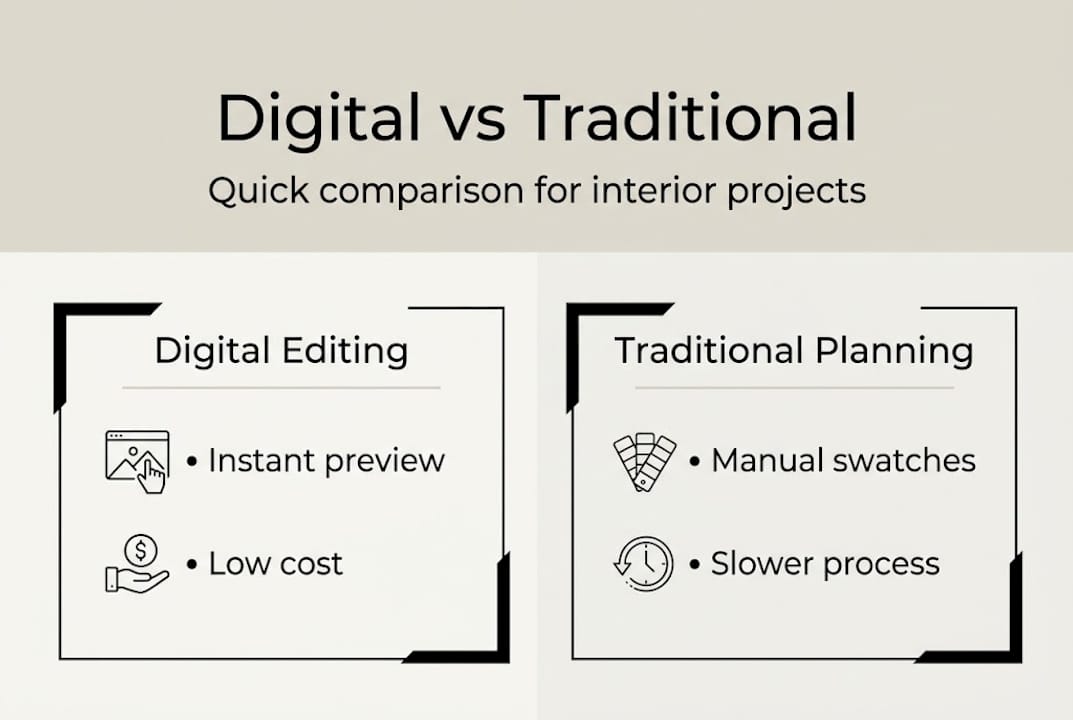
One of the most important things to understand is who these tools are built for. They are user-friendly for DIY homeowners, requiring no design skills and offering mobile and web access with free tiers available. That means you do not need Photoshop experience or a design degree. If you can upload a photo and tap a color, you can use these tools effectively.
The best platforms use AI to make the experience even faster. Instead of manually masking walls and painting them pixel by pixel, you describe what you want or select a zone, and the AI fills it in accurately. For a deeper look at how this process works on your own photos, the interior photo editing guide walks through the full workflow step by step.
Common digital editing features at a glance:
- Instant wall color changes across your actual photo
- Furniture swaps with realistic scaling
- Layout adjustments and room reconfiguration
- Lighting and shadow simulation
- Style overlays (modern, farmhouse, Scandinavian, etc.)
| Method | Speed | Cost | Accuracy | Flexibility |
|---|---|---|---|---|
| Digital editing app | Instant | Free to low | High (photo-based) | Very high |
| Physical mood board | Hours | Moderate | Low (small samples) | Limited |
| Hiring a designer | Days to weeks | High | High | High |
| Paint sample testing | Days | Low | Moderate | Low |
The contrast is clear. Digital editing gives you the speed and flexibility that physical methods simply cannot match.
Top benefits: Why digital editing empowers homeowners
The shift from traditional planning to digital editing is not just about convenience. It changes what is even possible for someone working without a design budget or professional training.

1. Zero-risk experimentation You can try bold choices without committing. Want to test a deep navy accent wall? Do it digitally first. If it looks terrible, delete it and try something else. No paint wasted, no regrets.
2. Faster decision-making Instead of spending a week deliberating over swatches, you see your actual room in the new color within seconds. That clarity shortens the decision cycle dramatically.
3. Budget protection Every DIYer has a story about buying the wrong paint color in bulk. Digital previews reduce the need for physical samples and test gallons, which adds up to real savings over a project.
4. Easier communication Showing a contractor or family member a visual edit is far more effective than trying to describe what you mean. A picture of your actual room in the new style removes all ambiguity.
Pro Tip: Before your next trip to the hardware store, edit a photo of your room with the colors you are considering. Show the edited photo on your phone in the store under the natural lighting. It is a much better reference than a tiny swatch.
| Feature | Digital editing | Traditional planning |
|---|---|---|
| Time to preview | Under 1 minute | Days to weeks |
| Cost to experiment | Free or minimal | Moderate to high |
| Accuracy of result | High (photo-based) | Low to moderate |
| Shareable with others | Yes, instantly | Difficult |
| Reversible | Instantly | Not easily |
The AI photo visualization benefits go beyond just saving time. These tools genuinely help homeowners feel more in control of their choices. For anyone exploring these tools on a phone, mobile app editing has become especially practical for on-the-go planning. Platforms offering AI tools for interior design consistently highlight accessibility as the defining advantage for non-professionals.
How digital editing works: From idea to visualization
The process is simpler than most people expect. Here is how a typical editing session unfolds from start to finish.
1. Upload your photo or choose a template Take a clear photo of the room you want to change. Natural lighting and a wide angle work best. Upload it directly to your editing platform. Some tools also offer pre-built room templates if you want to experiment in a neutral space first.
2. Select what you want to change Most platforms let you tap or highlight the element you want to modify: a wall, the floor, a piece of furniture, or the ceiling. Once selected, you choose the change you want to apply.
3. Apply the edit and preview instantly Change the wall color, swap in a new sofa style, or test a different floor finish. The AI renders the change in seconds, showing you a realistic version of your room with that update applied.
4. Save, compare, or share Keep multiple versions side by side to compare options. Share the edited image with your partner, contractor, or a design-savvy friend to get feedback before you commit.
AI-powered features add another layer of help. If you are stuck and unsure where to start, some platforms suggest complementary colors, furniture arrangements, or style directions based on what is already in your room. This makes the quick AI editing steps accessible even for people who have never thought about design before.
Pro Tip: Take before-and-after screenshots of every edit session. Over time, these become a personal design log that shows you exactly what works for your space and what to avoid.
“The best design decisions come from seeing, not imagining. Digital editing gives every homeowner the ability to see before they commit.”
For a hands-on walkthrough of the full editing process, the interior photo editing tutorial covers the exact steps with real examples. Tools are designed for beginners, with no technical skill required to get professional-looking previews.
Digital editing vs. human expertise: When to use which?
Digital editing is powerful, but it is not the right tool for every situation. Knowing when to rely on it and when to call in a professional saves you time, money, and stress.
When digital editing is the right call:
- Exploring color palettes before buying paint
- Testing furniture layouts without moving anything
- Visualizing a style refresh (new cushions, new curtains, lighter fixtures)
- Creating a shared visual for family decisions
- Planning a DIY weekend makeover
When you need human expertise:
- Structural changes like removing walls or adding windows
- Custom finishes that require skilled trades (venetian plaster, intricate tile work)
- Full kitchen or bathroom renovations with plumbing or electrical changes
- Situations where permits and inspections are required
The smartest approach is a hybrid model. Use digital editing for ideation and speed, then hand off to human professionals for execution and custom work. This is not a replacement for professional painting services or skilled trades. It is a preparation step that makes every conversation with a pro more productive.
“AI tools work best as a hybrid: fast ideation and visualization handled digitally, with skilled execution left to human professionals.”
Think of it this way. You would not use a hammer to drive a screw. Digital editing is the right tool for the visual planning phase. Experienced contractors and designers are the right tools for physical execution. Using both in sequence, as noted in the AI tools overview, produces better outcomes than relying on either one alone. To explore specific AI design ideas that bridge the gap between inspiration and execution, there are curated examples showing what is possible at every budget level.
The real secret: Digital editing unlocks creative confidence
Here is something nobody talks about enough. The most valuable thing digital editing gives you is not speed or cost savings. It is the willingness to try.
Most homeowners play it safe not because they lack taste, but because the cost of being wrong felt too high. A bold color choice, an unconventional layout, a dramatic lighting fixture: all of these ideas get shelved because the risk felt too real. Digital editing removes that weight completely.
When you know you can undo anything in two seconds, you start experimenting. You try the dark green wall. You see how the room looks with no overhead lighting. You test a maximalist approach just to see. Some ideas confirm your instincts. Others surprise you. Either way, you learn something true about your own space.
This is why accessible editing for all matters so much. It is not just about making tools easier to use. It is about giving people permission to be creative without fear. The result is not just a better-designed room. It is a home that genuinely reflects you.
Try digital editing for your next interior project
Ready to put your ideas into action? Everything covered in this article is exactly what VibeMyFlat is built to help you do.

VibeMyFlat’s digital tools let you upload a photo of any room and start experimenting in under 30 seconds. Describe the change you want in plain language, and the AI handles the rest, delivering realistic, high-quality previews without any technical skill required. Whether you are refreshing a single wall or rethinking an entire living space, the platform makes visualization fast, fun, and completely risk-free. Try editing your first photo today and see how quickly a vague idea turns into a real, shareable plan.
Frequently asked questions
What devices can I use for digital interior editing?
Most digital editing tools for interiors work on smartphones, tablets, and computers via mobile apps or web browsers, making them accessible on any device without special hardware.
Do I need professional skills to try digital interior editing?
No skills are needed. Modern editing apps are built for complete beginners, with free tiers available and simple interfaces that anyone can navigate.
When should I call a professional instead of using a digital editor?
Call a professional for complex renovations, structural changes, or custom finishes. For those projects, digital tools work best as a hybrid ideation step before handing off to skilled trades.
Is digital interior editing expensive?
Many platforms offer free or low-cost plans, and the mobile and web access model means you can start experimenting without spending anything upfront.
Can I share my edited room ideas with others?
Yes. Digital edits export easily as image files or shareable links, letting you collect feedback from family members or contractors before committing to any physical changes.